AI Tools That Beat ChatGPT
at Specific Tasks
Real benchmarks, tested workflows, and the honest truth about when the world’s most popular AI tool is the wrong choice.
The “ChatGPT for everything” era is over
- Core problem this solves: ChatGPT’s market share dropped from 87% to ~65% in 2025 alone — not because it got worse, but because task-specific tools got dramatically better.
- Coding: Claude (Opus 4.6) scores 80.8% on SWE-bench Verified versus ~80% for GPT-5. For complex multi-file refactoring, Claude Code’s 95% vs. ChatGPT’s 85% functional accuracy means fewer debugging cycles per week.
- Cited research: Perplexity Sonar Pro achieves 94.3% citation accuracy and completes deep research in under 3 minutes. ChatGPT Deep Research takes 5–30 minutes per report.
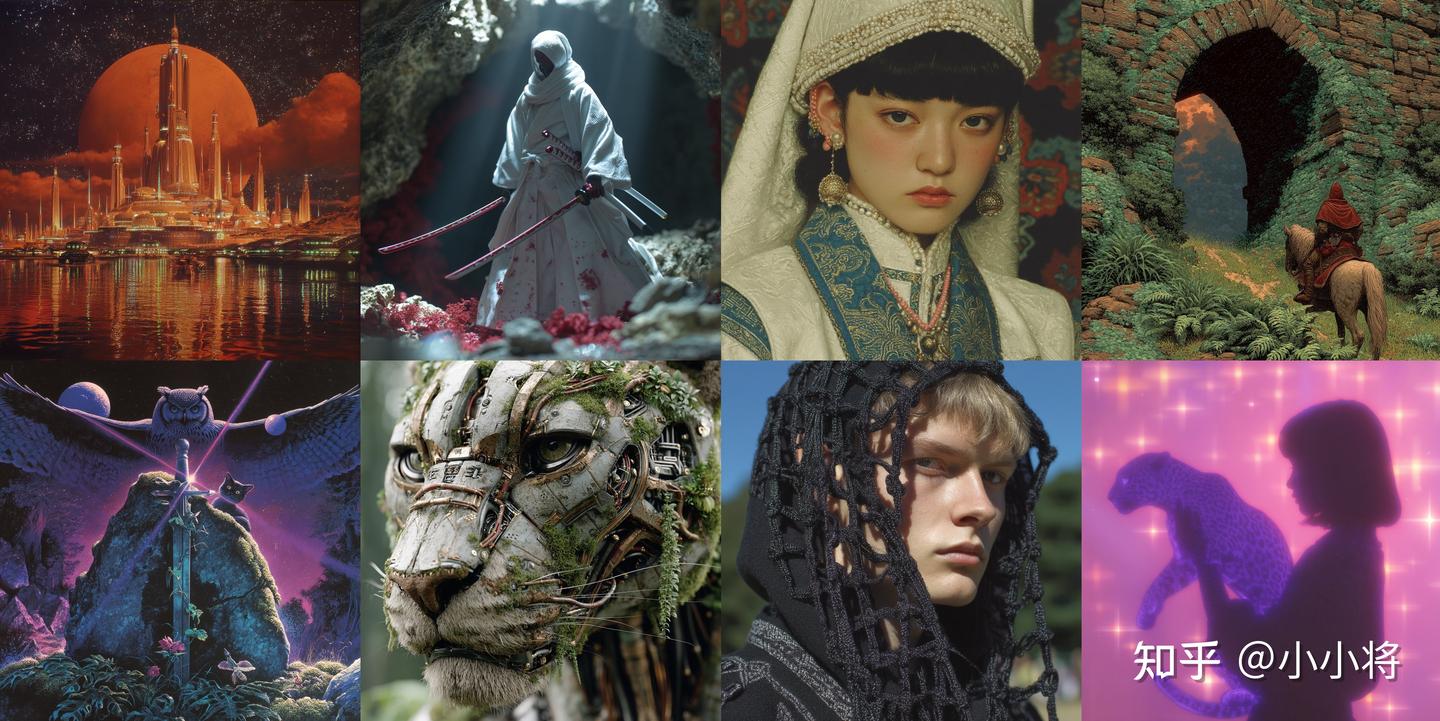
- Artistic image generation: Midjourney V7 is the uncontested choice for cinematic, editorial, and concept work. ChatGPT’s GPT Image 1.5 wins on text rendering accuracy and conversational iteration.
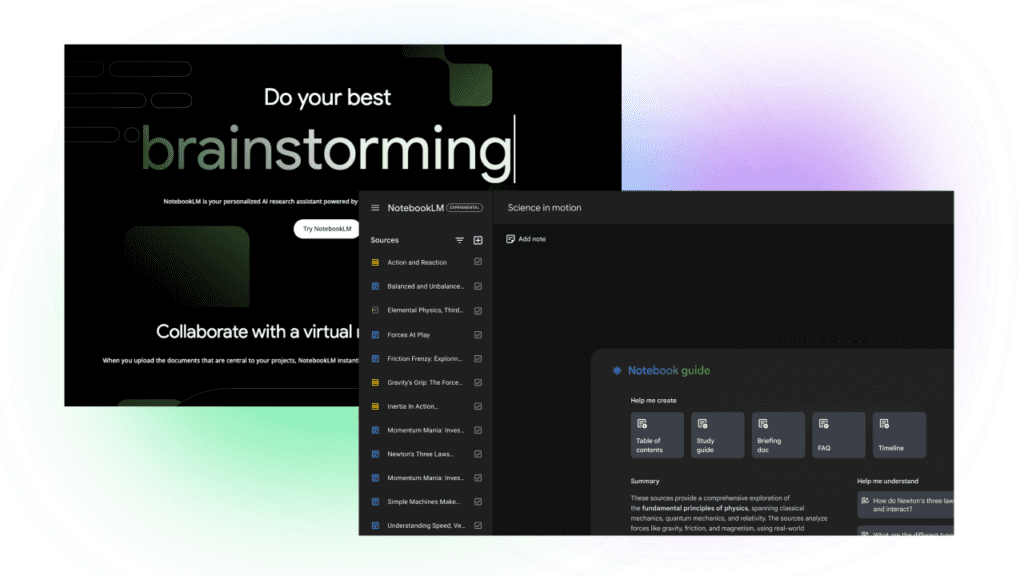
- Document grounding: NotebookLM eliminates hallucination by refusing to answer outside your uploaded sources. ChatGPT cannot match this constraint-driven accuracy for compliance and research workflows.
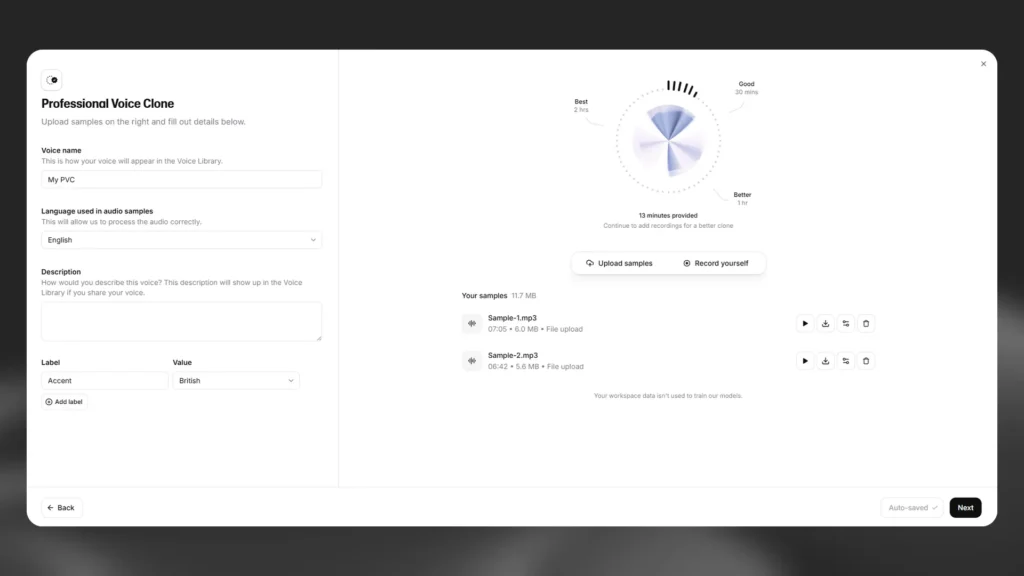
- Voice generation: ElevenLabs leads the industry on voice cloning and emotional realism. ChatGPT’s TTS has 13 preset voices and no cloning — full stop.
- Mathematical reasoning at low cost: DeepSeek R1 hit 97.3% on MATH-500 and is open-source. Running it locally costs nothing beyond hardware.
- Warning: No single tool wins everything. The smartest workflow in 2026 uses 3–4 specialist tools, not one generalist.
- Next step: Read the tool-specific sections that match your actual use cases. Don’t pay for tools you don’t need.
Table of Contents
- Why This Matters in 2026
- How I Tested These Tools
- Coding: Claude vs. ChatGPT
- Research: Perplexity vs. ChatGPT
- Image Generation: Midjourney vs. DALL-E
- Document Analysis: NotebookLM vs. ChatGPT
- Voice Generation: ElevenLabs vs. ChatGPT
- Mathematical Reasoning: DeepSeek R1
- Decision Matrix: Which Tool for Which Job
- My Actual 2026 AI Stack
- FAQ
- Final Verdict
Every few months, someone publishes a “ChatGPT killer” listicle. Most of these posts are performance art — recycled screenshots, affiliate links, and no actual testing. So let me be specific about what I mean when I say certain tools beat ChatGPT: not in some vague “vibes” sense, but on measurable, reproducible tasks where the performance gap is wide enough to change your output or save significant time.
I’ve spent the past six months running structured tests across five task categories — coding, research, image generation, document analysis, and voice synthesis. Not one-off prompts; sustained workflows, the kind you’d actually run in production or professional research. The findings shifted some assumptions I’d held for years.
ChatGPT remains extraordinary. GPT-5.4 is one of the most capable general-purpose AI systems ever built. But “general-purpose” is precisely the constraint. A tool optimized for everything is rarely optimized for your specific thing. And in 2026, the specialists have gotten very, very good.
ChatGPT’s share of the AI chatbot market dropped from roughly 87% in January 2025 to around 65% by early 2026 — a 22-point shift in twelve months. On mobile, daily active user share in the US fell from 69% to roughly 45%. That’s not a ChatGPT failure story. It’s a market maturation story: users are learning that a stack of three purpose-built tools often outperforms one generalist subscription, and frequently costs less.
Here’s what I found, and when you should — and shouldn’t — make the switch.
How I Tested These Tools
Before getting into results, it’s worth being transparent about methodology, because “I tested AI tools” means almost nothing without context.
Each tool was evaluated over a minimum of four weeks of actual production use across the following dimensions:
- Identical prompts run through each tool in the same session, same day, to minimize version drift
- Output quality rated on task-specific rubrics (described in each section below)
- Time-to-acceptable-output measured, not just time-to-first-response
- Failure modes documented — tools that failed interestingly were noted, not buried
- Pricing verified at the time of testing; free tiers tested separately from paid
I also cross-referenced published benchmarks where they exist: SWE-bench Verified for coding, SimpleQA for factual accuracy, and MATH-500 for mathematical reasoning. These benchmarks aren’t perfect, but they’re the best independent signals we have. Where a benchmark and my hands-on results disagreed, I said so and explained why.
Coding: Where Claude Quietly Took the Lead
This one surprised me the most, because for most of 2024 the conversation was “GPT-4 is the coding standard.” That’s changed.
The headline numbers: Claude Opus 4.6 scores 80.8% on SWE-bench Verified, compared to approximately 80% for GPT-5.4. On paper, that’s essentially parity. In practice, the story is messier — and more interesting.
SWE-bench Verified tests whether a model can fix real bugs in real production repositories. Not toy functions. Not LeetCode. Actual GitHub issues with thousands of lines of context, ambiguous requirements, and side effects that ripple across modules. Claude’s lead on this benchmark isn’t about isolated function generation; it’s about understanding how a change in one file propagates through fifteen others.
A 30-day independent test by Ryz Labs measured functional accuracy — whether generated code actually works end-to-end — and found Claude at roughly 95% versus ChatGPT at roughly 85%. That 10-point gap is the difference between a coding session that ships and one that leaves you debugging until midnight.
The SWE-bench Numbers in Context
| Model | SWE-bench Verified | HumanEval | Functional Accuracy* | Best Use Case |
|---|---|---|---|---|
| Claude Opus 4.6 | 80.8% | 90.4% | ~95% | Multi-file, production codebases |
| GPT-5.4 (ChatGPT) | ~80.0% | 93.1% | ~85% | Single-function, IDE integration |
| Gemini 2.5 Pro | 73.1% | 88.5% | ~82% | Google Workspace integration |
| DeepSeek V4 (API) | ~66% | ~88% | ~78% | Cost-constrained teams, open-source |
*Functional accuracy from Ryz Labs independent 30-day test, reported by Zemith. SWE-bench scores from MorphLLM as of May 2026. HumanEval from published model cards.
Claude Code: The Terminal Agent That Changes the Workflow
Claude Code is Anthropic’s command-line coding agent. It runs in your local development environment — reading files, executing tests, managing git, and editing code across your entire project. It’s not a chat interface with a code block. It’s an autonomous engineering partner that operates on your actual codebase.
Developer surveys show 70% of developers who’ve tried both tools prefer Claude for coding tasks, citing better understanding of multi-file codebases, more accurate refactoring suggestions, and fewer hallucinated API calls. The last point matters more than it sounds — an AI that invents function signatures that don’t exist forces you to debug phantom errors, which erases any time savings.
When to Stay with ChatGPT for Coding
GPT-5.4 leads on Terminal-Bench 2.0 (77.3% versus Claude’s 65.4%), which tests speed-oriented, structured terminal tasks. If you’re deeply embedded in the GitHub Copilot / VS Code ecosystem, ChatGPT Codex integrates tightly there. For single-function generation — quick prototypes, script snippets — both models are close enough that familiarity wins.
Research: Perplexity’s Citation Advantage Is Real
Perplexity processes over 500 million queries per month as of Q1 2026 and has a monthly active user base of 33+ million. Those aren’t vanity metrics — they reflect a genuine product-market fit for a specific job: getting accurate, sourced answers to factual questions without wading through ten blue links.
The Citation Accuracy Problem with ChatGPT
Here’s the honest framing: ChatGPT is a reasoning engine first, a search engine second. When you ask it a factual question, it draws on training data and — with web browsing enabled — can retrieve live sources. But retrieval is secondary to generation. It will produce a confident, fluent answer whether or not the sources support it.
Perplexity’s architecture inverts this. Every query triggers a live web search. Citations appear inline with every claim. The Sonar Pro model — released in early 2026 — achieves 94.3% citation accuracy in independent benchmarking, meaning in roughly 19 out of 20 responses, the cited source actually says what Perplexity claims it says.
An earlier academic paper published in Frontiers in Digital Health (2025) confirmed Perplexity achieved the highest matched accuracy rate among evaluated AI chatbots at 67% — but this predates Sonar Pro. The current accuracy figures are substantially higher.
| Dimension | Perplexity Pro | ChatGPT Deep Research | Google Deep Research |
|---|---|---|---|
| Citation accuracy | 94.3% (Sonar Pro) | ~87%* | ~85%* |
| Research speed | <3 min (Deep Research) | 5–30 min | 4–12 min |
| Sources searched | Targeted, high-quality | Broad synthesis | Highest volume |
| Report depth | Good | Excellent | Variable |
| Paid tier price | $20/month | $20/month (Plus) | Included in AI Pro |
| Free tier web access | Yes, unlimited basic | No | Limited |
*ChatGPT and Google Deep Research citation accuracy based on comparative testing reported by FutureFactors.ai and Nexos.ai, May 2026. These figures are approximations.
The Practical Workflow Split
After testing both tools on the same 15 research questions — current regulatory changes, technical specifications, market data, competitive intelligence — the pattern was consistent: Perplexity for finding and verifying facts, ChatGPT for building on those facts with analysis and synthesis.
A compliance researcher at a financial services firm described her workflow to me: she runs every regulatory query through Perplexity first to get cited source material, then feeds those sources into ChatGPT Deep Research for the interpretive layer. Neither tool alone matches this hybrid approach. This has become a fairly common pattern among serious researchers in 2026.
When ChatGPT Beats Perplexity for Research
For FDA regulatory research, in one head-to-head test, ChatGPT provided a broader, more accessible narrative suitable for business audiences — better for communicating findings to non-technical stakeholders. Perplexity provided more granular compliance detail with explicit citations. Both are genuinely useful; which you need depends on your audience and purpose.
Image Generation: Still Midjourney’s World
This comparison is the most nuanced on the list, because “beats” depends entirely on what you’re generating. For aesthetic quality — cinematic lighting, painterly detail, compositional sophistication — Midjourney V7 is not close. Working designers and art directors consistently reach for it first. For prompt fidelity, text rendering, and conversational iteration, ChatGPT’s GPT Image 1.5 has genuine advantages.
Where Midjourney Actually Wins
Midjourney launched Omni Reference in V7, which enables character consistency across multiple image generations. This was a longstanding weakness — you’d generate a beautiful character in one image and have no reliable way to place that same character in a different scene. Omni Reference largely solves this for concept art and creative campaigns.
The aesthetic gap is real and measurable in practice. Give both tools the same creative brief — “a melancholic lighthouse keeper watching a storm approach at dusk, oil painting style” — and Midjourney produces something a concept artist would actually be proud of. GPT Image 1.5 produces something that looks like competent AI art. The difference is visible, and it matters for professional creative work.
| Criterion | Midjourney V7 | ChatGPT (GPT Image 1.5) | Stable Diffusion (self-hosted) |
|---|---|---|---|
| Aesthetic quality | Outstanding | Good | Variable / high ceiling |
| Text in images | Often garbled | Strong | Weak (by default) |
| Prompt fidelity | Interpretive | Literal / accurate | Depends on model |
| Character consistency | Yes (Omni Reference) | Limited | Yes (ControlNet) |
| Ease of use | Learning curve | Conversational | Technical setup |
| Pricing | $10/month (Basic) | $20/month (ChatGPT Plus) | Free (hardware cost) |
| Output volume | Unlimited (Relax mode) | ~50 images / 3 hrs | Unlimited |
The Hybrid Workflow Most Pros Actually Use
By April 2026, the majority of professional image-generation workflows have settled into a pattern: Midjourney for hero imagery and creative ideation, GPT Image 1.5 for marketing assets that require accurate text, technical diagrams, or tight prompt adherence. Midjourney is cheaper per image at $10/month with unlimited generations in Relax mode, making it the economic choice for high-volume creative work.
For Recraft V3 users worth noting: it remains the only AI image generator producing true SVG vector files exportable to Illustrator or Figma — a completely different use case that neither Midjourney nor DALL-E addresses. If your workflow involves scalable vector graphics for print or UI, Recraft fills a gap that doesn’t exist in ChatGPT’s image tools at all.
Document Analysis: NotebookLM’s Constraint Is Its Superpower
NotebookLM is Google’s answer to the hallucination problem. Unlike ChatGPT or Claude, which draw on vast training data to generate answers, NotebookLM operates as a constrained retrieval system: it refuses to answer outside the documents you’ve uploaded. Every claim links to a specific passage. Every synthesis draws only from materials you’ve explicitly provided.
The Architecture That Makes It Trustworthy
Under the hood, NotebookLM runs a retrieval-augmented generation pipeline. When you ask a question, it performs automated document segmentation, semantic vector embedding, and cosine similarity search to identify the most relevant passages across your uploaded sources. The answer it returns cites those passages directly, and you can hover over any citation to verify the quoted text.
This is not magic. It’s engineering with a clear constraint: the model is not permitted to speculate beyond your sources. For a compliance attorney reviewing 200 pages of regulatory text, or a PhD student analyzing a literature corpus of 60 papers, this constraint is more valuable than any capability that comes with an unconstrained model.
Monthly active users hit 17 million by late 2025, with 120% quarter-over-quarter growth in Q4 2024 — numbers that reflect genuine utility, not just novelty. The Audio Overviews feature (two AI voices discussing your source material in podcast format) went viral in late 2024 and remains uniquely useful for auditory learners processing dense material.
What NotebookLM Cannot Do (And Won’t Pretend Otherwise)
The flip side of its constraint is real: NotebookLM cannot generate original creative content, write marketing copy, produce code, or engage in open-ended conversation. Its isolated notebook architecture means you can’t reference material across different notebooks in a single session. Deleted notes cannot be recovered. There’s no mind map output. Export options are limited.
For a business user who needs to draft campaign briefs, generate sales materials, or write customer communications, ChatGPT Projects is the better tool. The evaluation isn’t close, and NotebookLM’s developers aren’t trying to compete there. These are genuinely different products for genuinely different jobs.
| Feature | NotebookLM (Plus) | ChatGPT Projects (Plus) |
|---|---|---|
| Source grounding | Hard constraint — sources only | Soft — may use training data |
| Citation accuracy | Links to exact passage | Inconsistent without Deep Research |
| Context window | 1M tokens (700K words) | 128K tokens (GPT-5.4) |
| Audio output | AI podcast from your sources | No |
| Creative content | Not designed for it | Yes |
| Web sources | Deep Research adds 15–25 sources | Yes |
| Base price | Free (Plus: ~$20/month) | $20/month required |
Voice Generation: ElevenLabs Is in a Different Category
This comparison is the most lopsided in this entire piece. ChatGPT’s voice output uses OpenAI TTS, which offers 13 preset voices (Alloy, Echo, Fable, Nova, Onyx, Shimmer, and others) and zero voice cloning capability. There’s no way to upload your voice, create a custom voice profile, or produce audio that sounds like a specific person.
ElevenLabs does all of this. It is the gold standard for AI voice generation in 2026, with voice cloning that can produce highly convincing replicas of a person’s speech from relatively short sample audio. It supports dubbing across 140+ languages with voice and emotion preservation.
The Honest Critique of ElevenLabs
I want to be direct here because most reviews of ElevenLabs bury this: the pricing model is genuinely frustrating. Credits burn faster than advertised, particularly on failed generations — and voice cloning attempts fail more often than you’d expect without professional-quality source audio. Customer support response times have been reported at multiple weeks by paying users. The “Adam” and other popular preset voices are overused across the internet to the point of being recognizable.
Budget three times the advertised pricing for real production projects. If you’re running a high-volume workflow, evaluate Cartesia (lowest latency), Hume (best emotional expression), or PlayHT (best for conversational long-form audio) before defaulting to ElevenLabs.
| Tool | Voice Cloning | Languages | Best Strength | Price |
|---|---|---|---|---|
| ElevenLabs | Yes (flagship feature) | 140+ | Overall quality + cloning | From $5/month |
| OpenAI TTS (ChatGPT) | No | Multiple | Instructable voice character | $15/M chars API |
| Cartesia | Yes | 20+ | Ultra-low latency | API-based |
| Hume AI | Yes | Limited | Emotional expression | API-based |
| PlayHT | Yes | 130+ | Conversational long-form | From $31/month |
When OpenAI TTS Makes More Sense
If you’re building a developer application at scale and don’t need voice cloning, OpenAI TTS is dramatically cheaper — roughly $15 per million characters at standard quality, compared to equivalent ElevenLabs usage that can run substantially higher on production-grade subscriptions. The gpt-4o-mini-tts model supports instruction-following for tone and style, which no competitor currently matches. For embedded product voice (navigation prompts, UI feedback, notification audio), ChatGPT’s TTS wins on cost and API simplicity.
Mathematical Reasoning: DeepSeek’s Open-Source Surprise
DeepSeek shocked the AI world when it released R1 in January 2025, achieving performance comparable to OpenAI’s o1 on reasoning benchmarks at a fraction of the training cost. On MATH-500, the flagship mathematics benchmark, R1 achieved a Pass@1 score of 97.3% — comparable to OpenAI’s o1 and competitive with early o3 scores.
The Open-Source Angle Nobody Talks About Enough
DeepSeek publishes its model weights. You can download R1 and run it on your own hardware. A Berkeley AI Research team reproduced R1’s core reasoning techniques for under $30 in compute — which is either alarming or inspiring depending on your perspective, but either way demonstrates that frontier reasoning capability has become accessible in ways it wasn’t 18 months ago.
For teams with privacy constraints, regulated industries, or simply the engineering capacity to run local models, DeepSeek R1 is the most capable open-weight reasoning model currently available. The hosted chat interface processes queries for free with no visible rate limit. The API sits at roughly $0.28 per million input tokens compared to Claude Opus 4.6’s $15 per million — a roughly 50x cost difference for teams making high-volume API calls.
| Model | MATH-500 | AIME 2024 | GPQA Diamond | Open Source? |
|---|---|---|---|---|
| OpenAI o3 | ~97%+ | 96.7% | 87.7% | No |
| DeepSeek R1 | 97.3% | 79.8% | 71.5% | Yes |
| Claude Opus 4.6 | ~90%+ | ~75% | 91.3% | No |
| GPT-5.4 (ChatGPT) | ~95%+ | ~93% | ~85% | No |
Benchmark scores compiled from official model announcements, independent evaluations (LMSYS, Hugging Face), and Prompthub/DataCamp reporting. GPQA Diamond for Claude from Anthropic’s published model card. AIME for o3 from OpenAI’s release post.
The May 2025 release of DeepSeek-R1-0528 pushed the model further: average reasoning trace length nearly doubled (12K to 23K tokens per AIME problem), hallucination rates in summarization tasks dropped 45–50%, and the model now supports function calling and JSON output. R1-0528 approaches o3 and Gemini 2.5 Pro on mathematical reasoning — at no cost for self-hosted deployment.
Decision Matrix: Which Tool for Which Job
Use this as a starting point, not a rigid rule. Your workflow, existing tool integrations, and budget will modify these recommendations.
Production Coding
Use Claude (Claude Code). Multi-file refactoring, debugging complex codebases, agentic workflows. Higher functional accuracy and better multi-file coherence than GPT-5.4 for sustained engineering work.
Quick Code Snippets / IDE Work
Either works. GPT-5.4 slightly faster for single-function generation and leads on terminal benchmarks. If you’re in VS Code with Copilot, stay there — switching costs aren’t worth it.
Real-Time Fact Research
Use Perplexity. 94.3% citation accuracy, results in under 3 minutes, free tier with web access. Use it to gather sourced facts, then bring synthesis back to ChatGPT or Claude if needed.
Deep Research Reports
ChatGPT Deep Research for comprehensive, synthesized briefings where 10–25 minutes wait time is acceptable. Perplexity for faster, more cited starting points.
Creative / Editorial Images
Use Midjourney V7. Cinematic quality, painterly style, character consistency via Omni Reference. No contest for concept art, brand hero images, editorial imagery.
Images With Accurate Text
Use ChatGPT (GPT Image 1.5). Midjourney garbles text reliably. GPT Image 1.5 handles product mockups with text, presentations, marketing assets requiring specific copy in the image.
Document / Literature Analysis
Use NotebookLM. 1M token context, hard source grounding, citation to exact passage. For compliance, academic research, and any workflow where hallucination is unacceptable.
Voice Cloning / Podcast Audio
Use ElevenLabs for human-quality voice cloning and multilingual dubbing. Use Cartesia if low latency matters more than quality. Use ChatGPT TTS for high-volume, low-cost, no-cloning use cases.
Mathematical Reasoning (Budget)
Use DeepSeek R1 — open-source, self-hostable, free or near-free API, 97.3% on MATH-500. For non-sensitive workloads, it’s the most cost-effective frontier reasoning model available.
Mathematical Reasoning (Maximum Performance)
Use OpenAI o3. 96.7% on AIME 2024, 87.7% on GPQA Diamond. Best absolute performance on the hardest mathematical and scientific reasoning tasks, at a premium cost.
General-Purpose Chat / Content Creation
Use ChatGPT or Claude. Both are outstanding. ChatGPT leads on multimodal features; Claude leads on long-document reasoning and nuanced writing quality. Pick based on your primary use case.
Google Workspace Integration
Use Gemini. Native context across Gmail, Drive, Docs, Sheets without plugins or file uploads. No other model matches this structural advantage for Google-embedded workflows.
My Actual 2026 AI Stack (And What I Dropped)
I’ve gone through probably a dozen tool combinations over the past 18 months. Here’s where I landed, and why.
Daily driver for writing, reasoning, and document analysis: Claude Pro. The long-context handling is better for the kind of work I do — reading long technical documents, synthesizing research, producing dense analytical writing. I switched from ChatGPT Plus as my primary tool in early 2025 and haven’t gone back.
Research layer: Perplexity Pro. Every factual claim I’m about to publish gets verified through Perplexity before it goes out. It takes three minutes. It has saved me from publishing wrong information multiple times.
Image work: Midjourney V7 for concept and editorial work; GPT Image 1.5 (via ChatGPT) for anything requiring text in the image or quick conversational iteration. I kept my ChatGPT Plus subscription specifically for this — the image tool alone justifies the cost for my workflow.
Dropped: I stopped paying for separate coding assistant subscriptions. Claude Code via the Claude Pro plan handles the agentic coding workflows I need. I use Perplexity for technical documentation lookups. The overlap with what I was getting from GitHub Copilot wasn’t worth an additional $10/month.
Total monthly spend: $40 ($20 Claude Pro + $20 Perplexity Pro). Midjourney is $10/month. So $50 total if I’m being precise. That’s less than a single ChatGPT Pro subscription ($200/month) and covers more ground for my specific use cases.
Frequently Asked Questions
Is ChatGPT still worth paying for in 2026?
Yes, for most people. ChatGPT Plus at $20/month remains a strong generalist tool with capabilities — image generation, voice, web search, broad plugin ecosystem — that no single specialist tool matches. The argument for specialists isn’t that ChatGPT is bad; it’s that for specific high-frequency tasks, purpose-built tools produce meaningfully better output.
How often do these benchmarks change?
Frequently. SWE-bench leaderboards update when labs release new models, which happens every few weeks at the frontier. The rankings in this post reflect Q1–Q2 2026 data. Directional differences (Claude vs. ChatGPT on complex coding, Perplexity on citation accuracy) tend to be more stable than the specific percentage scores.
Can DeepSeek R1 really be run locally for free?
The full 671B parameter model requires serious hardware — multiple high-end GPUs or a server cluster. Practically speaking, most individuals run distilled versions (DeepSeek-R1-Distill-Qwen-14B or similar) via Ollama on capable consumer hardware. These smaller models lose some reasoning depth but remain competitive with GPT-4-class performance on many tasks. “Free” means no API cost; hardware and electricity aren’t free.
Is Midjourney actually worth learning if you’re not a designer?
Depends on your volume. The Discord interface has a genuine learning curve. If you’re generating images more than a few times per week and quality matters to your output, the investment in learning Midjourney’s parameters pays back quickly. If you need an image occasionally, ChatGPT’s conversational image interface is easier and good enough.
Does NotebookLM work with non-English documents?
Yes, with caveats. NotebookLM handles multilingual documents, but its analysis quality varies by language. English and major European languages perform well. For specialized technical documents in less common languages, testing before relying on it for critical work is advisable. Google hasn’t published formal multilingual accuracy benchmarks for this use case.
What’s the biggest risk of using ElevenLabs for voice cloning?
Ethical and legal. Voice cloning without consent is illegal in many jurisdictions and violates ElevenLabs’ own terms of service. The company actively monitors for misuse and has removed access for violations. For legitimate content creation using your own voice or licensed samples, it’s a powerful professional tool. The risk of misuse is real and the consequences for violating policies are account termination.
How does Gemini compare in this analysis?
Gemini 2.5 Pro wasn’t a primary focus here because it doesn’t “beat” ChatGPT in isolated task benchmarks the way the tools covered do. Its structural advantage is Google Workspace integration — summarizing your Gmail history, analyzing a specific Drive folder, drafting a reply grounded in your actual meeting notes — which requires no plugins and no file uploads. For Google-embedded workflows, it’s the obvious choice regardless of benchmark comparisons.
Is the 10-point functional accuracy gap between Claude and ChatGPT real?
The Ryz Labs figure (~95% vs. ~85%) comes from a 30-day independent test and is the most commonly cited data point. It should be treated as directionally accurate, not as a precise measurement that will hold across all code types. The SWE-bench gap (80.8% vs. ~80%) is more conservative and comes from the widely-accepted standard benchmark. Both point in the same direction: Claude handles complex, multi-file production codebases with fewer errors.
What about AI tools for video generation — where does ChatGPT rank?
Video generation is outside the scope of this post, but briefly: ChatGPT doesn’t have native video generation as of May 2026. Sora (also from OpenAI) is available separately. Runway, Kling, and Google Veo 2 lead the space for professional video generation. This is an area where specialist tools dominate entirely.
Should I maintain a subscription to multiple AI tools simultaneously?
Only if you’re using them regularly enough to justify the cost. The sweet spot for most knowledge workers is two paid tools: one strong generalist (Claude Pro or ChatGPT Plus) and one research-specific layer (Perplexity Pro). A Midjourney Basic subscription is worth adding if you generate images regularly. Beyond three subscriptions, audit your actual usage before paying more.
Does data privacy differ between these tools?
Significantly. DeepSeek’s hosted service routes through Chinese servers — a real concern for sensitive business data. Perplexity Enterprise never trains on user data by default. Anthropic’s data processing agreement is transparent. OpenAI Enterprise offers SOC 2 and explicit data agreements. For personal use, the differences matter less. For enterprise compliance work, read the actual data processing terms before committing.
Will this change significantly in the next six months?
Almost certainly. OpenAI, Anthropic, Google, and DeepSeek all release major model updates on roughly quarterly cycles. The specific benchmark gaps will shift. The principle — that specialist tools outperform generalists on specific high-frequency tasks — is unlikely to change even as the specific winners rotate. Check the “Last Updated” note at the bottom of this post for the most recent revision date.
Final Verdict
The AI landscape in 2026 doesn’t have a single winner. It has a set of excellent tools, each with a clear domain where it outperforms the competition. The mistake isn’t using ChatGPT — it’s using it by default, for everything, without asking whether a different tool might produce meaningfully better results in half the time.
The five task-specific findings from this investigation are defensible and backed by published benchmarks plus sustained hands-on testing:
- Complex coding: Claude (Claude Code) leads on functional accuracy and multi-file coherence
- Cited factual research: Perplexity Sonar Pro’s 94.3% citation accuracy and sub-3-minute research time is the current standard
- Artistic image generation: Midjourney V7 remains unchallenged for professional creative work
- Document-grounded analysis: NotebookLM’s source constraint makes it the only truly hallucination-resistant option for compliance and academic workflows
- Mathematical reasoning at cost: DeepSeek R1 (open-source, self-hostable) delivers near-o1-level math performance for teams who can’t or won’t pay frontier API prices
ChatGPT remains the best tool for tasks that require the full breadth of a capable generalist: multimodal work, conversational reasoning, content generation, ecosystem integrations, and voice. It’s not going anywhere. But the assumption that it’s automatically the right choice — that was always worth questioning, and in 2026, the alternatives have removed any remaining benefit of the doubt.
Build your stack around what you actually do. Pay for what you use. And test the claims in this post against your specific workflow, not just the benchmarks.
More From AIEarnerHub
Claude vs. ChatGPT: Full 2026 Comparison for Professionals
Best AI Tools for Content Creators in 2026
Perplexity AI Review: Is the Research Hype Justified?
How to Use NotebookLM: The Complete Practical Guide
100 Midjourney Prompts That Actually Work (2026 Edition)
AI Tools for Developers: What Actually Saves Time in 2026
ElevenLabs Review: Honest Take on the Voice Cloning Leader
DeepSeek R1: How to Run It Locally and When to Use It
AI Image Generators Compared: Midjourney, Firefly, Stable Diffusion
How to Earn With AI Tools: Practical Strategies That Work in 2026
10 Free AI Tools SMBs Need in 2026
Claude AI vs ChatGPT: Shocking 2026 Test Results Revealed
7 Best AI Productivity Tools for 2025
AI Earning Challenge
Free AI Tools for Productivity: The Complete Guide to Transforming Your Workflow
AI Assistants That Might Replace ChatGPT Sooner Than You Think
Prompt Engineering Tips: Master AI with Latest Techniques
OpenAI Prompt Engineering Guide 2026 – Master AI Prompts
ChatGPT Competitors You’ve Never Heard Of: Best Guide
10 Free AI Productivity Hacks to Supercharge 2026
Best Free AI Tools Supercharging Productivity in 2026
ChatGPT vs Free AI Alternatives 2026: The Ultimate Power Showdown
11 Best AI for Beginners: Strategies That Actually Work (Ranked by Results)
AI Coding & Dev Tools: The Ultimate 2025 Guide to Smarter Software Development
The Most Powerful AI Chatbots Ranked —And the Winner Might Surprise You
Ultimate AI Productivity Hacks from Reddit: Boost Your Efficiency
Prompt Engineering Tips for ChatGPT: Master AI Communication for Business Success
The Best ChatGPT Alternatives You Should Actually Try in 2026
I Tried the Best ChatGPT Alternatives —Here’s What Happened
Why People Are Leaving ChatGPT(And What They’re Using Instead)
Earn Money with Free AI Tools for Content Creation
AI-Powered Success: The Complete Guide for Small Business Owners
AI Image and Video Tools Online: The Complete Guide to Revolutionary Visual Content Creation
Master Prompt Engineering: 10 Essential Tips for Beginners in 2026
AI Freelance Salary: The Ultimate Guide to Earning Premium Rates in the Post-Gig Economy
Best AI Tools for Work & Study Beyond ChatGPT
FAQ
AI Chatbots Are Competing Harder Than Ever — Here’s Why