
20 Content Creation with AI Free Facts That Will Change How You Approach It
Most creators know AI speeds up their work. Very few know the sharp edges — the hallucination rates, the free-tier real limits, the Google penalties, the hidden costs. This post covers all of it, with citations.
Let’s be honest: the phrase “AI content creation” gets thrown around like it means something specific. It doesn’t. It covers everything from someone asking ChatGPT to fix a typo, to a fully automated pipeline that writes, optimizes, and schedules 50 posts a week without a single human reading them. The gap between those two uses is enormous — and most of what gets written about the topic pretends it isn’t there.
What follows are 20 facts drawn from research published in 2025 and early 2026. Not marketing claims. Not platform case studies (which have obvious selection bias). Actual studies, surveys, and benchmark data. Where something is an observation or a widely-reported trend rather than a controlled study, I’ve said so.
The focus here is specifically on free and freemium AI tools — what they can actually do, where they fall short, and what the real trade-offs look like. There’s a lot of optimism in this space. Most of it is warranted. But the parts that aren’t warranted are the parts most likely to burn you.
87% of content creators now use AI in their workflows — but “use” covers a very wide range of involvement
That 87% figure comes from Artlist’s 2025 survey of 6,500 creators, and Adobe’s Creators’ Toolkit Report found a nearly identical number: 86% of global creators actively use generative AI. [1] These are among the larger creator surveys conducted in this period, so the sample sizes are reasonable.
What the numbers don’t tell you: the surveys count anyone who has used an AI tool for any creative task in the past year. That includes the person who ran their bio through Grammarly once. Meaningful, sustained use — where AI materially changes what gets produced — is considerably narrower. HubSpot’s 2025 State of AI report puts the “content creation as primary use case” number at 55% of marketers, up from 43% the prior year. [2] That’s the more telling figure.
Genuinely useful free tiers exist for writing, research, image generation, and video — the catch is usage caps, not capability
There’s a persistent myth that free AI tools are basically demos. That’s no longer accurate for the main platforms. As of mid-2026, the free tiers of ChatGPT (GPT-4o access, daily limits), Google Gemini (full browser access, Workspace integration), Perplexity AI (core research with citations), Claude (daily message resets), Canva (thousands of templates, basic Magic Studio), and CapCut (free video editing with AI captions) all provide genuinely functional capabilities — not stripped-down preview versions. [1]
| Tool | Free Tier Limit | Best Free Use | Real Limit |
|---|---|---|---|
| ChatGPT | ~25 msgs/day | Drafting, brainstorming, outlines | Heavy use hits caps fast; no memory |
| Google Gemini | Generous daily | Real-time research, Google Docs | Some advanced features behind paywall |
| Perplexity AI | Core research free | Fact-checking, cited sources | Ads on free tier; model choice locked |
| Claude (Anthropic) | 40–50 msgs/day | Long-form, brand voice, nuance | Hits limits on heavy workflows |
| Canva Free | Unlimited templates | Social graphics, carousels, docs | AI image credits limited per month |
| Leonardo AI | 150 tokens/day | Best free image quality/volume | Token burn is fast on large images |
| Copy.ai | 2,000 words/month | Short-form copy, social posts | Burns through in 1–2 days of real use |
| NotebookLM | Fully free (Google) | Audio summaries, research synthesis | Limited to uploaded sources, no web |
Sources compiled from platform documentation and independent reviews current as of May 2026. Free tier limits change frequently — verify before building a workflow around them.
Time savings are real, but the range is enormous: anywhere from 1.5 hours to 15+ hours per week depending on your role
HubSpot’s 2026 State of Marketing report, surveying over 1,500 marketers globally, found that roughly one-third say AI saves their team 10–14 hours per week, another third report over 15 hours of savings, and the remaining third see 1–9 hours of weekly gains. [3] An earlier HubSpot report put average savings at 3 hours per piece of content and 2.5 hours per day overall. [4]
The variation makes sense once you think about it. A solo creator writing 3 articles a month will see modest absolute time savings. A content team producing daily social posts, weekly long-form pieces, and constant email copy will see massive gains. The tool isn’t doing different things — the leverage just scales with volume.
AI hallucinations aren’t a fringe problem: 47% of marketers encounter AI inaccuracies multiple times per week, and bad information has gone live for over a third of them
Neil Patel’s team at NP Digital ran a proper study on this — 600 prompts tested across major LLM platforms, plus a survey of 565 marketers. The results were uncomfortable: nearly half of marketers (47.1%) encounter AI inaccuracies multiple times a week. More than 70% spend 1–5 hours weekly just fact-checking AI-generated output. And 36.5% have had hallucinated content make it all the way to publication. Another 39.8% had close calls. [5]
Deloitte Australia — A$440,000 Government Report, Fake Citations
In October 2025, the Australian government discovered that a Deloitte-authored report worth A$440,000 contained non-existent academic sources and a fabricated quote attributed to a federal court judgment. A month later, Deloitte’s CA$1.6 million Health Human Resources Plan for the Government of Newfoundland and Labrador (commissioned May 2025) was found to contain at least four false citations to papers that don’t exist. The company issued partial refunds and revised reports. [Wikipedia: AI Hallucination]
These weren’t small startups cutting corners. These were enterprise consulting outputs from a Big Four firm. If hallucinations can survive that review process, they can survive yours.
The Harvard Kennedy School Misinformation Review published an academic framework for understanding AI hallucinations in August 2025, noting that even top models hover around 60% full accuracy on complex queries, and that fact-checking fails on subtle hallucinations like fake citations because the references look plausible. [6]
“Free” AI tools carry real costs in time, data, and the ceiling they impose on output quality
A 2026 analysis of AI content marketing economics noted that many “free” tools become expensive through hidden charges not apparent during evaluation — data storage fees, per-asset limits that reset monthly rather than daily, API overage charges, and the time cost of hitting caps mid-project. [7]
Beyond the financial dimension, free tiers impose a quality ceiling. On image generation, the gap between free and paid tiers of the same platform can be substantial — not just in volume but in resolution, style consistency, and upscaling capability. On writing tools, free tiers often exclude memory, custom instructions, and extended context windows that are the features most responsible for producing consistent, on-brand output at scale.
- Time cost: Daily limits force workflow interruptions. A team relying on free ChatGPT will hit caps at exactly the wrong moment.
- Data cost: Several free AI platforms train on user inputs by default. Read the privacy policy before putting proprietary content into a free tool.
- Quality cost: Free image generators commonly produce lower-resolution outputs or watermarks that require additional editing time.
- Switching cost: Building a workflow around a free tool that later removes its free tier creates disruption. This happened with several platforms in 2024–2025.
Google doesn’t penalize AI-generated content — it penalizes low-quality, low-effort content, regardless of how it was made
This distinction matters enormously. An Ahrefs study of 600,000 pages found that 86.5% of top-ranking pages use AI assistance. Google has confirmed repeatedly, including through Search Liaison Danny Sullivan, that their systems evaluate content quality and E-E-A-T signals, not production method. [8]
What did trigger manual actions starting June 2025 was “scaled content abuse” — hundreds of low-value pages generated primarily to manipulate rankings, not help users. The Google 2025 Quality Raters Guidelines update instructed human evaluators to flag AI-generated content as “Lowest Quality” specifically when it lacked originality or value. The production method was irrelevant. [9]
“We’re not anti-AI; we’re anti-crap.”
— Danny Sullivan, Google Search Liaison, via X (2025)The practical implication: AI-assisted content that includes original research, real expertise, firsthand experience, and genuine user value ranks fine. AI-generated content that’s a thin rewrite of existing pages at scale — whether or not a human touched it — gets penalized. The bar is on quality, not origin.
56% of marketers significantly revise AI-generated text — and this revision time often isn’t factored into productivity claims
HubSpot’s research found that 56% of marketers significantly revise AI-generated text, while 38% make minor tweaks. Only a small fraction publish AI output as-is. [1] This is actually the correct behavior — the problem is when productivity calculations compare “time to generate AI draft” to “time to write from scratch” without accounting for revision.
A more honest comparison: if writing a 1,500-word article from scratch takes 4 hours, and generating + significantly revising an AI draft takes 2.5 hours, the savings are real but not transformative on a per-piece basis. The gains become dramatic when you’re producing 20 pieces a month rather than 4, or when AI handles the structural and research scaffolding while a human focuses exclusively on the parts that require actual judgment.
Content creation is the #1 AI use case for marketers — but research (47%) and automation (41%) are close behind and often more valuable
HubSpot’s 2025 State of AI report placed content creation at 55% of AI-using marketers, up 12% year-over-year. Research came in second at 47%, and automating direct messaging/conversational marketing at 41%. [2]
Here’s the underappreciated part: research-assist is often where free tools provide the highest return, precisely because it’s the least glamorous use case. Using Perplexity to gather cited sources, Gemini to synthesize competitor analysis, or NotebookLM to digest a 60-page research PDF in minutes — these applications save hours of work that most productivity calculations don’t count. The flashy case is “AI wrote my blog post.” The better case is “AI compressed 4 hours of research prep into 20 minutes.”
AI-generated video clips achieve 12–18% higher click-through rates than manually edited alternatives in multiple platform studies
This is one of the more counterintuitive findings in the space. Platforms like OpusClip have published data showing 12–18% higher CTR on AI-clipped video content compared to manually edited versions, with some users reporting up to 25% engagement improvements. [7]
The proposed mechanism: AI systems trained on engagement data identify optimal hook timing, caption placement, and clip endpoints more reliably than human intuition. This doesn’t mean every AI clip outperforms every human-edited clip — it means that when both processes are running at average effort, AI tends to win on engagement metrics because it’s optimizing for patterns humans aren’t consciously tracking.
Worth noting: these studies come from the platforms themselves and should be read with that in mind. Independent verification of these specific numbers is limited. But the directional finding — that AI clip tools improve engagement metrics — is corroborated across enough sources to treat as reliable.
Free AI now covers writing, research, images, video, audio, and design — solo creators can build a complete workflow at $0/month
This wasn’t true three years ago. It’s demonstrably true now. A solo creator can combine: ChatGPT free (drafts + brainstorming), Perplexity free (research + citations), Canva free (graphics + carousels), CapCut free (video editing + captions), NotebookLM (research synthesis + audio), ElevenLabs free tier (basic voice generation), and Google Gemini (real-time research + Docs integration) — and have a production stack that covers essentially every content format. [1]
The constraints are time-based (daily caps reset) rather than permanent capability walls. A creator producing content at a modest volume — say, one long-form piece and several social posts per week — can realistically stay within free tiers without constantly hitting limits. Once you’re producing at scale or need consistency across a team, paid tiers start making sense. But the “you need to pay to do anything useful” narrative is outdated.
Prompt quality matters more than tool selection for most content creation tasks — a good prompt on a free model often beats a lazy prompt on a paid one
This is widely observed across practitioners but harder to quantify with a single study. The practical evidence: ChatGPT’s free tier (GPT-4o-mini) with a well-structured, specific prompt — including examples of desired tone, explicit constraints, audience description, and negative examples of what to avoid — produces qualitatively better output than ChatGPT Plus with a vague “write me a blog post about X” prompt.
Several published prompt engineering guides converge on the same basic structure for content creation prompts: role + context + specific constraints + format requirements + negative examples. Google’s own prompt engineering documentation adds that step-by-step reasoning requests (chain-of-thought prompting) consistently improve output quality on complex tasks. [Anthropic Docs]
- Be specific about the audience: “marketing manager at a B2B SaaS company” beats “professional.”
- Give negative examples: “don’t use phrases like ‘in today’s fast-paced world'” eliminates entire categories of AI cliché.
- Specify format explicitly: “2,000 words, no subheadings in the first 300 words, conversational tone, one specific anecdote per main point.”
- Ask for a draft, not a final piece: Treat AI output as a first draft that you’ll revise, and it performs better because you’re not trying to get a finished product in one shot.
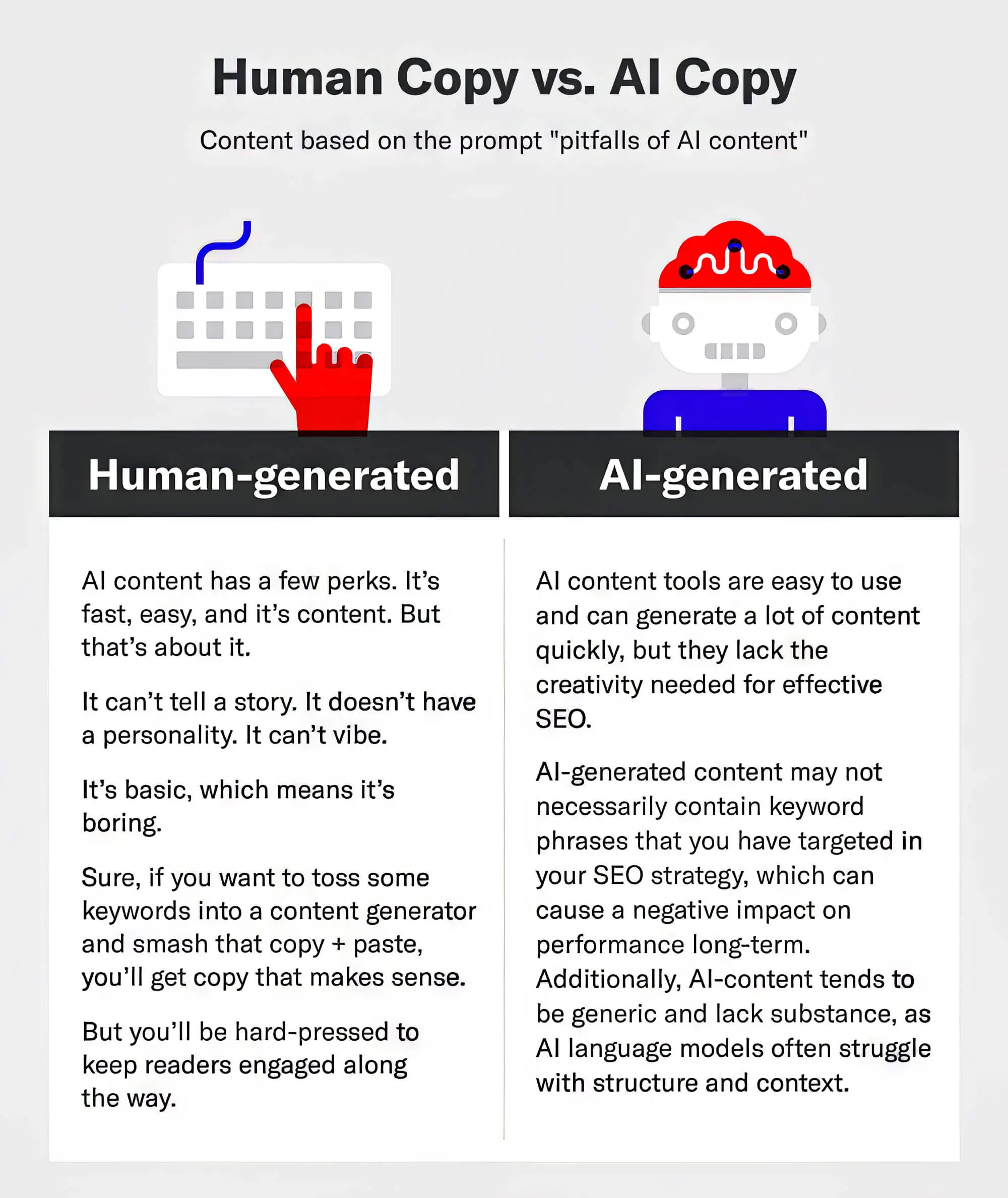
AI “slop” is a measurable phenomenon — low-quality AI content is actively degrading parts of the web, and it affects your discoverability
This isn’t just editorializing. In Q1 2025, platforms removed over 12,842 AI-generated articles containing fabricated facts, fake citations, and invented events, according to a Kanerika analysis. Health and education content took the hardest hits. [10]
By July 2025, 9 of the top 100 fastest-growing YouTube channels relied solely on AI-generated media. AI-generated content proliferation across Facebook and news sites has been described by researchers as intensifying “content clutter.” The HubSpot 2026 State of Marketing report states plainly: “Today, more content is generated by AI than by humans. But it’s mostly average.” [11]
The implication for anyone using free AI tools thoughtfully: the baseline is getting worse, which means the bar for standing out is actually getting lower in some ways. Genuinely helpful, well-researched, human-reviewed content is becoming scarcer relative to the total content volume. That’s a real opportunity — if you don’t let convenience shortcuts pull your work toward the mean.
Most free AI tools reset daily, not monthly — understanding this rhythm changes how you plan your workflow
ChatGPT free resets daily. Claude free resets daily. Perplexity free resets daily. This is different from many SaaS tools people are used to, which offer monthly allotments. The practical consequence: rather than burning through a large monthly budget in the first week and then being locked out, daily AI tools have a more even rhythm. If you hit your daily cap, you wait until tomorrow — not until next month.
Smart workflow design for free tier users: front-load the heaviest AI tasks early in the day. Use different tools for different task types rather than one tool for everything. Batch similar tasks to minimize prompt iteration overhead. And have a backup tool ready for when primary tools hit their daily limits mid-session. The Perplexity → ChatGPT → Gemini stack, for example, gives you three separate daily allotments for research and drafting tasks.
AI saves marketing teams 10–15+ hours per week on average, and 75% of companies report positive ROI from AI and automation investments
Beyond the time savings cited in Fact #3, HubSpot’s research found that 75% of companies report positive ROI from AI and automation investments, with 34% saying the return has been “very positive.” [12] The 2026 State of Marketing report found 41.81% of marketers report AI has moderately increased productivity, with 32.82% of respondents saying tools save 10–14 hours per week. [13]
These figures are for teams using AI systematically — not just dabbling. For individual creators using free tools, the ROI calculation is simpler: if free tools save you 5 hours of work per week that you’d otherwise spend on drafting and research, and your time is worth $40/hour, that’s $200 of weekly value at literally zero tool cost. That’s a compelling argument for investing time in learning these tools properly.
NotebookLM is arguably the most underused free AI content tool — it turns hours of research into 20-minute audio briefings at no cost
Google’s NotebookLM received a significant upgrade with Gemini 2.0 integration in early 2025, and it remains entirely free. Its standout capability: upload PDFs, URLs, or raw text (research papers, competitor articles, transcripts), and it generates a natural-sounding podcast-style conversation between two AI hosts discussing the material. It can also answer specific questions about uploaded content, create summaries, and build study guides. [14]
For content creators, this means: upload 10 industry research PDFs and get a synthesized audio brief in minutes. Upload competitor articles and get a structured breakdown of their arguments. Upload a long-form interview transcript and get key quotes and themes organized automatically. Matt Wolfe of Social Media Examiner describes it as his preferred tool for audio content creation, specifically for its ability to process long documents and produce listenable summaries.
Combining two complementary free tools typically outperforms one paid tool — the research shows a Perplexity + ChatGPT stack beats either alone
This observation comes from practitioners rather than formal study, but it’s widely reported. Perplexity handles cited research synthesis (the thing LLMs hallucinate on when flying blind), and ChatGPT handles structured drafting, rewriting, and formatting. The combination means you’re handing ChatGPT grounded, accurate source material rather than asking it to retrieve facts from its training data — which is where hallucinations come from. [15]
A creator quoted in a 2025 workflow guide put it this way: “Perplexity for fast, reliable research with sourced answers. ChatGPT for organizing and turning ideas into drafts. Smarter research = better content.” That’s not a revelation. But it’s a workflow most people aren’t running because they default to asking one tool to do everything — and then wondering why they’re getting hallucinations and generic output.
AI isn’t replacing junior content writers — it’s eliminating the entry-level tasks that used to train them, which is a slower and more serious problem
The World Economic Forum estimated that 39% of existing skill sets will be transformed or become outdated between 2025 and 2030. For content specifically, entry-level roles at major tech firms dropped 50% since the pandemic — with routine tasks that once trained junior writers now being handled by AI. [10]
The HubSpot 2026 State of Marketing report found that 73.4% of marketers see AI working in conjunction with human creators, not replacing them. But “working in conjunction” doesn’t mean the job description stays the same. The parts of content creation that AI handles well — first drafts, structural outlines, keyword research, repurposing — are exactly the parts that gave junior writers their initial reps.
The practical takeaway, particularly for newer creators: use free AI tools to produce more output, not to avoid developing your own voice and judgment. The writers who thrive in this environment are the ones who have opinions, perspectives, and subject matter expertise that AI can’t replicate — not the ones who are most efficient at operating AI tools.
Free AI image generation has a real quality ceiling: Leonardo AI’s 150 daily tokens is the best free volume, but text-in-images remains weak across all free tiers
For pure image generation without text, Leonardo AI is currently regarded as offering the best combination of quality and free-tier volume (150 tokens per day, where a standard image costs roughly 4–8 tokens). Canva’s Magic Media free tier is more limited on image generation credits but more convenient for integrated design workflows. [1]
For images that need to contain legible text — infographic labels, product mockup text, social graphics with quotes — Ideogram is considered the strongest free option specifically for text rendering accuracy, which has been a persistent weakness across all image AI models. Midjourney produces the most visually distinctive and aesthetically sophisticated results but has no free tier as of 2026 — it moved to paid-only some time ago. [16]
| Tool | Free Tier | Best For | Weakness |
|---|---|---|---|
| Leonardo AI | 150 tokens/day | High-quality photos, concepts | Token burn; no text rendering |
| Ideogram | Limited daily credits | Images with legible text | Artistic range is narrower |
| Canva Magic Media | Monthly credits | Integrated design workflows | Lower image quality vs. dedicated tools |
| Adobe Firefly | 25 generative credits/month | Ethically sourced stock, commercial safe | Very limited free tier volume |
Authentic, human-informed content is becoming a genuine competitive advantage as AI floods the web with average output
This is perhaps the most strategically important fact on this list. HubSpot’s 2026 State of Marketing report states: “Consumers seek human-created content and will tune out brand and AI-generated content. Content will move to gated spaces that AI hasn’t overrun, like newsletters, podcasts, and YouTube.” [11] And separately: “61% of marketers believe marketing is experiencing its biggest disruption in 20 years due to AI.”
Amy Kenly, VP of Marketing at The Launch Box, put it plainly in the same report: “You have to find ways to stand out by being unique, and the only way to do that is to focus on the real words of real people.”
This doesn’t mean rejecting AI tools. It means using them for the structural and research scaffolding — the parts that are genuinely tedious and don’t require your unique perspective — while reserving your actual voice, opinions, and experience for the parts that make content worth reading. The irony of the current moment is that as AI makes content creation cheaper and faster, the value of genuine human insight goes up. Volume is no longer scarce. Perspective is.
The minimum viable free AI content stack is 3 tools, not 10 — and most creators see diminishing returns after the third tool
Independent analysis from multiple content workflow guides converges on the same finding: most creators benefit from 3–4 tools covering different needs — one for writing, one for images, one for video — and using too many tools creates more overhead than value. [1] The instinct to collect every new AI tool is real, but it’s also a productivity trap. Each additional tool requires learning time, workflow integration, and cognitive overhead that eats into the time you’ve saved.
| Role | Tool 1 (Writing/Research) | Tool 2 (Visuals) | Tool 3 (Video/Audio) |
|---|---|---|---|
| Solo blogger | Perplexity + ChatGPT free | Canva free | NotebookLM (research audio) |
| Social media creator | ChatGPT free | Canva free / Leonardo AI | CapCut free |
| Video creator | Gemini (research + scripts) | Canva free | CapCut or OpusClip free |
| Marketing team | Claude free + Perplexity | Canva free | Submagic or CapCut free |
Start with the minimal stack. Add a tool only when you have a clear, specific use case it solves that your current tools don’t. The creators who get the most out of free AI tools are not the ones with the most tools — they’re the ones who’ve learned two or three of them deeply enough to use them well.
What Actually Changes When You Know These Facts
There’s a version of AI content creation that looks like this: grab a free tool, type a vague prompt, paste the output, publish it, repeat. That approach will save you some time and produce content that’s technically acceptable. It will also produce content that looks and sounds like every other AI-generated piece on the internet, risks hallucinated facts you don’t catch, and probably won’t rank well or build a real audience.
There’s another version that looks like this: use free tools deliberately for the tasks they’re actually good at — research synthesis (Perplexity, NotebookLM), structural drafting (ChatGPT, Claude), visual production (Canva, Leonardo), video clipping (CapCut, OpusClip). Fact-check everything with real sources before it goes out. Revise AI drafts into something that sounds like you and actually says something the reader couldn’t get from a generic summary. Publish less, but make what you publish genuinely better than the AI-generated average.
The second approach is more work. It also produces better results, builds an audience that trusts you, and isn’t vulnerable to the next Google algorithm update targeting low-effort scaled content. In a market where AI has made average content cheaper to produce than ever before, the things that are genuinely scarce are expertise, perspective, and trust. Those are still human outputs. The tools are just infrastructure.
More From AIEarnerHub
Related guides, tools, and deep dives
Best AI Video Generators in 2026: The Complete Guide for Content Creators and Businesses
AI Tools That Do Coding, Writing, and Research Better Than ChatGPT
AI Tools That Might Change the Internet More Than ChatGPT
7 AI Content Creation Tool Strategies That Actually Work — Ranked by Results
AI Use Cases in Daily Life: The Only Framework That Actually Works
FAQ