
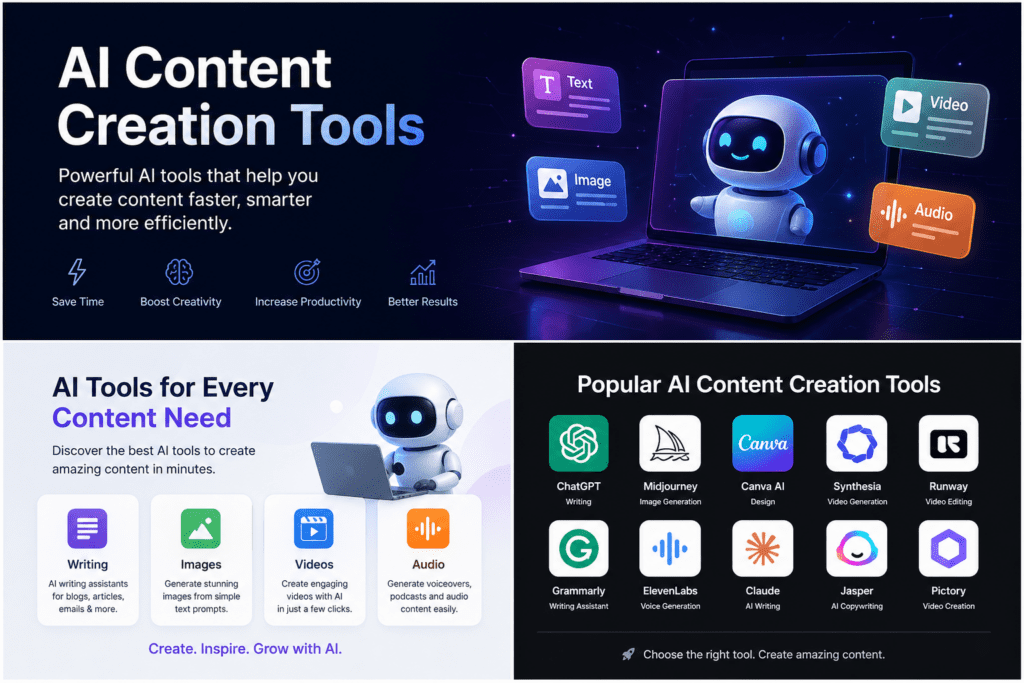
Best AI Content Creation Tools 2026:
Tested, Ranked & Brutally Honest
The best overall AI content stack in 2026: Jasper (brand-voice writing), Claude (long-form depth), Canva AI (design + publish), Descript (audio/video), Midjourney (images), Surfer SEO (ranking), and Synthesia (avatar video). You can cover every production stage for under $100/month if you’re strategic about what you actually need vs. what demos well.
📋 What’s in this guide
The Real State of AI Content in 2026
Here’s the thing nobody says out loud: the easy wins are gone. In 2023, you could spin up a GPT wrapper, publish a thousand generic articles, and watch traffic roll in. Google caught up. The algorithms caught up. And frankly, readers caught up too.
What’s left is actually more interesting. 82% of marketing teams now use generative AI daily — up from 61% just three years ago. But the ones winning in search aren’t using AI to replace thinking. They’re using it to move faster on research and structure, then layering in real insight, genuine experience, and editorial judgment that no tool can replicate.
“AI content isn’t about mass production anymore. The algorithms caught up. In 2026, the winners use AI to scale their research and structure, but they keep the human element for insight and perspective.” — Itamar Haim, SEO Team Lead, Elementor
Two shifts that changed everything this year:
1. Integrated tools beat standalone apps. 68% of creators now prefer AI built directly into their existing platforms — inside Canva, inside their CMS, inside their video editor — over launching a separate tab for every task. The “best AI writing tool” is increasingly irrelevant if it doesn’t sit inside your workflow.
2. Video got cheap, fast. High-definition text-to-video generation costs dropped 40% between 2025 and 2026. Synthesia, HeyGen, and Runway are no longer enterprise luxuries. A solo creator can produce training modules, marketing explainers, and localized content in 120+ languages without a studio. That’s genuinely new.
AI Writing Tools: Who Actually Wins
There’s a reason “best AI writing tool” is one of the most searched phrases in content marketing. And there’s a reason most answers are wrong — they test tools in isolation, on short prompts, and call it done. I care about one thing: does the output hold up at 2,000 words without losing the thread?
Jasper AI
Jasper isn’t just a text generator anymore — it’s what they now call a brand voice engine. You feed it your style guide, past posts, tone guidelines. It actually remembers them. The output isn’t generic; it matches your specific energy in a way that vanilla LLMs won’t without obsessive prompt engineering. For agencies managing 15 clients with different voices, that consistency is worth real money.
The 2026 version adds “Agents” — agentic workflows that can take a campaign brief and generate sequenced content across formats without you babysitting each step. It’s not perfect, but it’s the direction everything is heading.
- Brand voice training is genuinely best-in-class
- Campaign-level workflows, not just single outputs
- Integrates with Surfer SEO, Grammarly, WordPress
- Consistent at scale across multiple contributors
- Expensive — $49/month (Creator), $125/month (Teams)
- Outputs still need editing for depth and nuance
- Overkill for solo creators publishing twice a month
Claude (Anthropic)
Claude has a quality that’s genuinely hard to put into words — it reads what you give it. Feed it a 50-page research report and ask for a 1,500-word article; it synthesizes rather than summarizes. For content requiring real depth — thought leadership, technical guides, essays — Claude’s contextual retention across 200K tokens is something ChatGPT still struggles with at long range.
Multiple independent tests in 2026 consistently rank Claude as having the lowest hallucination rate of any major model. For sensitive topics, financial content, or anything where factual accuracy matters, that’s not a minor thing — it’s the whole game.
- Handles nuance better than any competing model
- 200K token context — entire documents in one go
- Lowest hallucination rate in 2026 testing
- Natural, non-robotic prose from the first draft
- No built-in SEO or brand template system
- Slower for high-volume short-form batch work
ChatGPT (OpenAI)
ChatGPT remains the most widely used AI writing tool globally — for good reason. Its GPT-4o model is fast, versatile, and good at creative leaps. For brainstorming angles, testing different framings, or cranking out first drafts to edit from, it’s the most accessible starting point in the market.
- Fastest for ideation and iteration cycles
- Custom GPTs allow lightweight workflow automation
- Free tier is genuinely useful for light use
- Higher hallucination rate than Claude on complex topics
- Requires heavy prompt engineering for great results
- Generic “AI voice” creeps in without constant editing
Copy.ai
Copy.ai’s workflow builder is its real differentiator — you can string together steps (research → outline → draft → rewrite) into automated pipelines without writing a line of code. For marketing teams who need to produce dozens of email sequences, ad variants, or landing page versions, that automation layer is legitimately useful.
- 90+ templates covering every short-form format
- Workflow automation for repeatable tasks
- Multilingual and accessible for non-writers
- Not built for long-form articles or editorial depth
- Templates can produce formulaic, recognizable output
Video & Avatar Tools: The 40% Cost Drop Changed Everything
Two years ago, professional-grade AI video was enterprise-only. Today, a solo creator can produce a 10-minute training module with a realistic AI avatar, 120-language dubbing, and voice cloning — in under an hour, for $22/month. That’s the real story of 2026.
Synthesia
The workflow is simple enough that it’s almost unfair: paste your script, pick an avatar, click generate. A 10-minute training video — done. The voice cloning feature means you can create a digital version of your CEO or spokesperson once, then use it forever across multiple campaigns and languages without booking another studio session.
- Script-to-video in minutes — genuinely faster than filming
- Auto-translate into 120 languages without re-recording
- Massive cost savings for corporate training teams
- Avatars still lack deep emotional range for storytelling
- Custom avatar creation requires an Enterprise plan
HeyGen
HeyGen’s differentiator is personalization at scale. Think one video template + CRM data = hundreds of personalized videos with the avatar saying each prospect’s name and company. For sales and customer success teams, the conversion math on that works out fast.
- Scalable personalization — one template, thousands of versions
- Fast rendering, clean interface
- Multilingual dubbing without quality loss
- Avatar realism varies by tier — lower plans feel noticeably synthetic
- Team plan pricing restructured in Jan 2026 — verify before buying
Descript
The best way I can describe Descript: you delete a word in the transcript, and it disappears from the video. That’s not a metaphor. A 60-minute podcast that traditionally takes 4 hours to edit takes 45 minutes in Descript. Podcast editors who’ve made the switch report this consistently — it’s not an exaggeration. The “Remove Silence” feature alone might justify the subscription for anyone recording interviews.
- Fastest podcast/video editing workflow available
- Overdub voice cloning for corrections without re-recording
- Studio Sound removes background noise in one click
- Not a from-scratch video generator — you need existing footage
- Best for spoken content; limited for heavy visual production
Design & Visual Tools: Canva Quietly Won
Nobody predicted Canva would become the “default content layer” for small teams. It started as a template-heavy design app for non-designers. Now it’s a Magic Studio suite — AI image, video, copy, brand voice, and direct social publishing — all inside one browser tab. For most SMB marketers, it’s the tool the others have to beat.
Canva Magic Studio
The workflow that impressed me most: draft a LinkedIn post, let Magic Write refine the copy, resize it automatically into a TikTok cover, drop in an AI-generated voiceover, and schedule it to publish — all without opening a second product. That’s the pitch and, increasingly, it actually delivers. Canva raised their Teams pricing 300%+ in 2024, which stung, but the Pro plan at $15/month is still genuinely competitive.
- Truly all-in-one: design, video, copy, and scheduling
- Intuitive enough that non-designers produce good work
- Magic Design generates branded layouts from a single photo
- Not the right tool for professional video production
- Teams pricing jumped dramatically in 2024 — double-check current rates
Midjourney
Midjourney remains the gold standard for AI image generation in 2026. The V6 model consistently outperforms competing tools for photorealistic images, stylized illustrations, and concept art. For creators who need custom visuals that stock photo sites simply don’t have, Midjourney produces results that are genuinely publication-ready — and at $10/month, it’s hard to argue against.
- Highest output quality of any consumer AI image tool
- Style reference parameters for consistent visual series
- Complex multi-subject compositions and photorealistic lighting
- Discord-based interface has a genuine learning curve
- Prompting for specific results requires practice
SEO & Ranking Tools: Writing Without Data Is Just Guessing
Let’s be direct: you can have the most beautifully written article in the world and still rank on page 4 if you ignored the SERP signals. SEO tools aren’t optional. They’re the scaffolding that makes everything else work.
Surfer SEO
Surfer scores your content in real-time as you write, telling you which keywords are missing, which sections need more depth, and how you stack up against the pages currently ranking. The SERP Analyzer goes deeper — it tells you why those pages rank, not just what they contain. The con: if you follow Surfer too blindly, you’ll keyword-stuff your way to a mediocre article. It’s a data input, not an autopilot.
- Real-time SEO scoring inside your document
- Keyword research tied directly to ranking data
- Integrates with Jasper, Google Docs, and WordPress
- $89/month is a serious commitment for solo creators
- Over-reliance leads to keyword-stuffed, formulaic content
Frase
Frase is what you use when Surfer’s price is a hard no. It generates content briefs based on top-ranking pages, shows you what competitors are covering, and helps you identify gaps. It integrates with Surfer SEO and Google Search Console, so it sits well in a layered workflow. The $14.99 entry price is genuinely accessible.
- Excellent value — most features at $14.99/month
- Competitor content analysis is genuinely actionable
- Less sophisticated than Surfer for deep SERP analysis
- AI writing assist is a supplement, not a replacement
Building Your Stack: A Real Workflow That Works
The biggest mistake I see: people buy five tools and use none of them consistently. The best content stack isn’t the most expensive one. It’s the one that maps cleanly to how you actually work.
Here’s the workflow I’d build for a content team publishing 8–12 pieces per month:
Which Tool for Which Job — The Decision Table
Stop buying tools because they demo well. Buy them because they solve a specific problem in your workflow. Use this table:
| Your Situation | Recommended Tool | Skip |
|---|---|---|
| Long-form article writing, research-heavy topics | Claude (Anthropic) | ChatGPT alone |
| Brand-consistent copy across a team of 5+ | Jasper (Teams plan) | Claude without brand training |
| Ranking content — you care about SEO | Surfer SEO + Claude | Any writing tool without SERP data |
| Fast brainstorming and ideation | ChatGPT (GPT-4o) | Jasper for this — overkill |
| Corporate training / onboarding videos | Synthesia | HeyGen (unless you need personalization) |
| Personalized sales video outreach | HeyGen | Synthesia (built for broadcast, not 1:1) |
| Podcast or interview editing | Descript | Adobe Premiere for this use case — overkill |
| Custom, unique images and thumbnails | Midjourney V6 | DALL-E (consistency between images is weaker) |
| Non-designer producing social content daily | Canva Magic Studio | Midjourney without design experience |
| Email, ads, short-form conversion copy | Copy.ai | Claude (built for depth, not conversion formulas) |
| SEO on a tight budget | Frase ($14.99) | Surfer (great tool, but $89 is real money) |
The 3 Expensive Mistakes People Still Make in 2026
I’ve seen these patterns across hundreds of content teams. All three are avoidable.
Mistake 1: Publishing raw AI output
The algorithms didn’t get smarter — they got ruthless. Google’s 2025 Helpful Content updates specifically targeted “AI-assisted content that provides little original value.” If your article doesn’t contain something a reader can’t get from the five pages already ranking, it won’t rank. AI writes the scaffolding. You bring the perspective, the experience, the case study, the thing you actually know from doing the work.
Mistake 2: Using one tool for everything
ChatGPT is great at brainstorming. It’s not Surfer SEO. Jasper maintains brand voice. It’s not Descript. The best results come from combining tools where each does what it’s genuinely built for — not from finding a single Swiss Army knife and maxing it out. The workflow in Section 6 above is the practical answer to this.
Mistake 3: Chasing features instead of outcomes
Every tool demos beautifully. The question isn’t “can it do this?” — it’s “does the output hold up at production quality, consistently, at the volume I need?” Test with your actual use case, not a showroom prompt. Most tools offer 7-day trials. Use them ruthlessly before committing $100+/month.
- Does it integrate with the tools I already use?
- What’s the real price after I hit production volume?
- Does the output need 30% editing or 80% editing?
- Is there a free trial I can test on my real content type?
- What does it do that I actually can’t do cheaper with what I have?
The Honest Summary: What to Actually Do
- Start with Claude or ChatGPT — free tier, get your workflow down before spending anything
- Add Surfer SEO only when SEO is your primary distribution channel — don’t pay $89/month for social content
- Use Canva Magic Studio as your design and publishing layer — one tool, most of what you need
- Invest in Jasper when you’re managing multiple brand voices or a team of writers — not before
- Try Midjourney Basic for two weeks — if custom images are part of your content, it’ll be obvious immediately
- Consider Synthesia or HeyGen only if video is a deliberate channel — don’t add video complexity if you’re not committed to it
- Always edit for depth, experience, and original insight — that’s what ranks in 2026, full stop
- → Elementor: 15 Best AI Tools for Content Creation in 2026
- → Toolworthy: 16 Best AI Content Creation Tools (April 2026 pricing)
- → For AI Things: Best AI Tools for Content Creators 2026
- → ONLYOFFICE: Best AI Tools for Content Creation in 2026
- → Coursiv: Top AI Tools for Content Creation in 2026
- → Meet Sona: Best AI Content Creation Tools (January 2026)
AI Automation Tools Free: Transform Your Workflow Without Breaking the Bank
AI Tools That Do Coding, Writing, and Research Better Than ChatGPT
7 AI Content Creation Tool Strategies That Actually Work — Ranked by Results
Best Free AI Tools Supercharging Productivity in 2026
Jasper AI: The Game-Changer Every Creator Needs