
FAQ


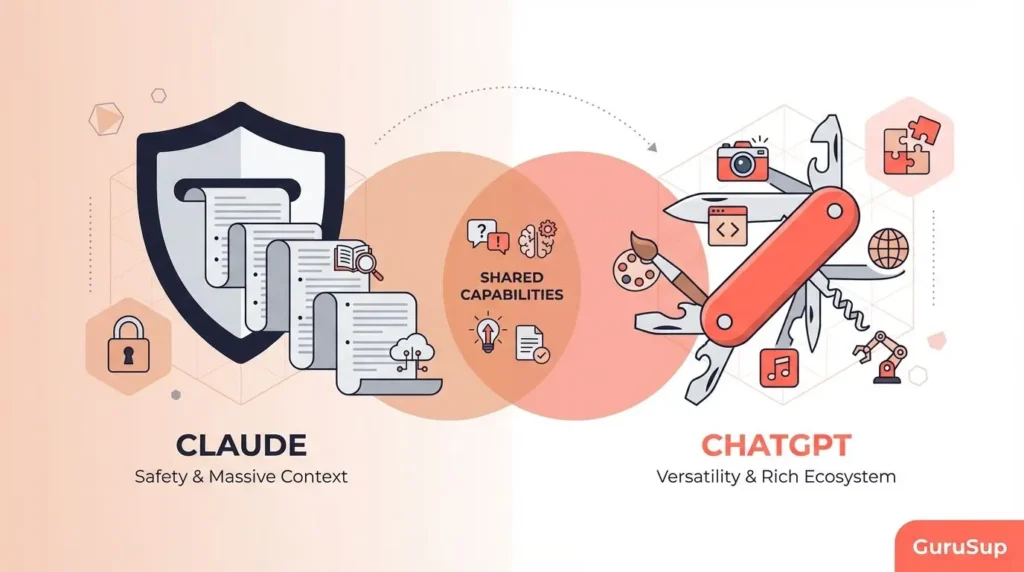
The Best ChatGPT Alternatives
You Should Actually Try in 2026
I spent three months running the same real workloads through ten AI assistants. Here’s what the benchmarks don’t tell you — and what actually matters for daily use.
The Bottom Line Before You Dive In
- Why look beyond ChatGPT at all? Unpredictable refusals, $20/month for a tool you’ll sometimes find limiting, and real gaps in live research and deep coding. These aren’t hypothetical complaints.
- Claude (Anthropic) beats ChatGPT on long-form writing, nuanced reasoning, and instruction-following. It’s my primary daily driver after switching eight months ago.
- Gemini 2.5 Pro is significantly cheaper at the API level and wins on native Google Workspace integration and multimodal tasks involving video/audio.
- Perplexity isn’t really a ChatGPT replacement — it’s a research tool. Use it when source citations actually matter. Don’t use it to write copy.
- DeepSeek is the most cost-effective option for developers watching API spend. The data privacy picture for sensitive workloads is legitimately concerning.
- Grok has one genuinely unique angle: real-time X/Twitter data access. Beyond that, it’s not worth the premium pricing unless you’re deep in Elon Musk’s ecosystem.
- Copilot wins only inside the Microsoft 365 ecosystem. Anywhere else, it’s overpriced and under-delivers compared to the standalone tools.
- Warning: No single tool is best for everything. The professionals getting the most value in 2026 run two or three complementary tools, not one.
- Next step: Jump to the Quick-Pick table and the individual tool sections for your use case.
• May 24, 2026 — Added Gemini 3.5 Flash pricing, updated DeepSeek V4 API rates, Grok SuperGrok Heavy tier
• April 2026 — Added Copilot Wave 3 agentic update, Microsoft 365 Copilot seat counts
• February 2026 — Full rewrite after Claude Sonnet 4.6 and GPT-5.2 releases
• January 2026 — Initial publication
Why Look Beyond ChatGPT in 2026?
ChatGPT is still the most recognizable name in AI. It’s also, depending on what you’re trying to do, not the best tool for the job.
I’ve been using AI assistants daily for production work since late 2022 — content strategy, research, writing, light coding, and workflow automation. Over that time I’ve watched ChatGPT go from revolutionary to… reliable infrastructure. It does a lot of things competently. It’s also become somewhat corporate-cautious in its outputs, the pricing tiers have multiplied into something genuinely confusing, and the image generation and voice features it added to justify upgrades aren’t features I need when I’m trying to do serious text work.
The honest reasons to look elsewhere in 2026:
Refusals on legitimate topics. If you do any serious research, historical analysis, security work, or medical/legal adjacent writing, you’ll hit ChatGPT’s safety filters at some point. Sometimes they’re appropriate. Often they’re not. Researchers and professionals report this constantly, and it breaks workflow hard.
Price fragmentation. ChatGPT Plus is $20/month. GPT-5.4 Pro access is substantially more. The API adds up at scale. Several alternatives offer comparable — sometimes superior — output for less money, or free.
Context window reality. ChatGPT’s context limits matter less than they did, but for long-document analysis, legal review, or codebases, some alternatives simply do more.
Specialization. The best AI tools in 2026 aren’t general-purpose assistants trying to be everything. They’re tools that excel at specific jobs — research with citations, coding with execution, document workflow, real-time data. Picking the right tool for the right job gets you substantially better results than trying to squeeze everything through one interface.
None of this is a condemnation of ChatGPT. It’s context for why the alternatives below are worth knowing.
Testing Methodology
I ran each tool through the same set of tasks over approximately 10–12 weeks of active daily use. Not cherry-picked demos — actual work tasks I needed done.
The task battery:
- Long-form article drafting (2,000–4,000 words) from rough notes
- Research synthesis across 8–12 sources
- Python script debugging (100–300 line scripts with non-obvious bugs)
- Document summarization (40–80 page PDFs)
- Multi-step reasoning tasks requiring consistent logic across 15+ exchanges
- Edge-case instruction following (unusual but precise formatting requirements)
- Real-time factual queries requiring current data
Scoring dimensions (each 1–10): output quality, instruction-following accuracy, context retention, reasoning depth, latency, pricing value, and reliability (consistency across similar prompts).
Quick-Pick by Use Case
If you already know what you need and want a fast recommendation:
Claude is built by Anthropic, founded by former OpenAI researchers including Dario and Daniela Amodei. The constitutional AI training approach they use produces a model that feels distinctly less corporate-cautious than ChatGPT in practice, even if it has its own limits. I switched to Claude as my primary tool about eight months ago after noticing that it consistently required fewer revision rounds on long-form drafts.
What’s actually different in practice
The writing quality gap between Claude and ChatGPT is meaningful at the output level. Claude produces prose that reads less like a bullet-point summary and more like actual writing. It follows unusual formatting instructions more reliably — if I ask for a specific structural pattern across a 3,000-word piece, Claude holds the pattern; ChatGPT tends to drift by the third major section.
For coding, the BenchLM provisional aggregate puts Claude Sonnet 4.6 at 83 against Gemini 2.5 Pro’s 64. The HLE benchmark gap is striking: 49% vs 18.8%. In practice this shows up in how Claude handles complex multi-step logic — it’s less likely to hallucinate a working solution that subtly doesn’t work.
The 200K context window (1M in beta for Opus 4.6) is sufficient for most real document analysis tasks. I’ve fed it 60–70 page reports and gotten accurate syntheses without the degradation you sometimes see in models that technically support long context but perform poorly at the tails.
Where Claude falls short
It cannot generate images. This sounds minor until you realize that some workflows genuinely require image generation inline with text work, and you’ll need a separate tool. The lack of native web browsing in the base tiers also means current-events queries need to be routed to Perplexity or Gemini. Claude’s search is available in the web interface but it’s not as tightly integrated into the research workflow as Perplexity’s architecture.
The Opus 4.6 tier (the most powerful model) is expensive at the API level — $15/1M input tokens, $75/1M output — which limits its viability for high-volume production pipelines. Sonnet 4.6 at $3/$15 per 1M is more practical and still competitive.
Pricing reality
Claude Pro at $20/month gives access to Sonnet 4.6 and Opus 4.6, extended context, and priority access. Claude Max at $100/month unlocks 5x higher usage limits and full Opus 4.6 access with no daily caps. For most individual users, the $20 tier is sufficient. Heavy users hitting limits regularly will feel the $100 tier is justified.
Strengths
- Best long-form writing quality of any tested tool
- Most reliable instruction-following
- Strong coding benchmark performance
- Less prone to over-hedging responses
- Broad provider coverage (AWS Bedrock, GCP Vertex, Azure)
- Agentic file creation and editing (Sonnet 4.6)
Weaknesses
- No native image generation
- Higher API cost than Gemini
- No native video/audio input (Sonnet tier)
- Web search less integrated than Perplexity
- Usage caps on Pro tier can frustrate power users
Benchmark source: BenchLM.ai, last reviewed May 16, 2026. API pricing sourced from LLMReference.com.
Gemini 2.5 Pro is Google DeepMind’s flagship model, and it represents a serious competitor — not the version of Gemini that underwhelmed at launch two years ago. The model has matured considerably, and several of its capabilities legitimately exceed what Claude or ChatGPT offer in specific areas.
The multimodal advantage
This is where Gemini 2.5 Pro stands apart. It handles text, images, audio, and video natively in a way that no other model on this list does at the same quality level. If your work involves analyzing video content, transcribing and understanding audio alongside documents, or processing images in context with long text, Gemini is currently the right answer. Claude Sonnet 4.6 doesn’t support video or audio input.
The 1M token context window is also genuinely larger than Claude Sonnet’s 200K (the 1M beta for Claude applies to Opus, not Sonnet). For processing very long legal documents, codebases, or data exports, this matters in practice.
Pricing advantage at scale
At the API level, Gemini 2.5 Pro costs approximately $1.25/1M input tokens and $10/1M output tokens — roughly 140% cheaper than Claude Sonnet 4.6 on input. For a production SaaS product generating 100 million output tokens per month, the cost difference between Claude Sonnet 4.6 and Gemini 2.5 Pro is substantial. The Batch API also offers an additional 50% discount for asynchronous workloads with 24-hour processing time.
As of April 1, 2026, Gemini Pro models moved to paid-only API access, but Flash models retain free tiers with reduced daily quotas.
Google Workspace integration
If you’re already paying for Google Workspace, Gemini Advanced at $20/month (bundled with Google One AI Premium) integrates directly into Docs, Sheets, Gmail, and Slides. This isn’t a “third-party connector” integration — it’s native. Summarizing an email thread and turning it into a briefing document happens inside Gmail without any copy-pasting. This is genuinely useful and something no other tool on this list replicates as smoothly.
Where Gemini falls short
On pure text quality — particularly long-form writing — Gemini 2.5 Pro is behind Claude in my testing. The output is accurate and well-structured but has a certain clinical Google-document quality that takes more editing to turn into natural-sounding prose. The BenchLM provisional aggregate shows Claude Sonnet 4.6 ahead 83 to 64 on knowledge tasks, and in practice the gap in reasoning depth shows up on complex multi-step prompts.
The model’s availability is also more limited — primarily through Google AI Studio and GCP Vertex AI, without the broad third-party provider coverage that Claude benefits from.
Strengths
- Native video and audio input processing
- 1M token context window standard
- ~140% cheaper than Claude Sonnet at API level
- Deep Google Workspace integration
- Real-time web search via Google Search
- Batch API at 50% cost reduction
Weaknesses
- Writing quality trails Claude on nuanced prose
- Lower benchmark aggregate vs Claude Sonnet 4.6
- Limited provider availability outside Google
- Pro models now paid-only (April 2026)
- Performance at 1M token tail degrades
Pricing source: MetaCTO Gemini Pricing Guide, May 2026. Gemini 3.5 Flash launched May 19, 2026 at $1.50/$9.00 per 1M tokens.
Perplexity sits in a different category from the other tools on this list. It doesn’t try to replace ChatGPT as a general-purpose assistant — it replaces Google Search as a research tool, adding LLM synthesis on top of real-time web retrieval. The value proposition is specific: you ask a question and get a structured answer with inline citations linking to original sources. You can verify every claim.
This is valuable precisely because it addresses something the other AI tools fail at: hallucination detection. When Perplexity tells you something, you can check where it came from. When ChatGPT or Claude tells you something, you’re often trusting the model’s training data without a quick path to verification.
The Deep Research feature
Perplexity Pro includes a Deep Research mode that runs autonomous multi-step research — decomposing a question, searching across multiple sources, and synthesizing a structured report. For something like “what are the current regulatory landscape and market dynamics for small modular reactors in Europe,” Deep Research produces a genuinely useful 1,500–2,000 word briefing in 2–3 minutes that would take hours to produce manually. It’s not perfect, but it’s a legitimate research accelerator.
The Pro plan at $20/month provides access to over 300 Pro Searches per day, access to multiple advanced models including GPT-4.1, Claude 4.0, Grok 4, and Gemini Pro 2.5, plus file uploads, image generation, and API access. The Max plan at $200/month is aimed at heavy professional users. Enterprise Pro at $40/user/month and Enterprise Max at $325/user/month serve teams needing collaboration features.
Where Perplexity struggles
For creative writing, long-form content, or tasks requiring a consistent and refined voice, Perplexity isn’t the right tool. The output reads like a research summary because that’s what it is. The model access selection within Perplexity is useful but some models have restrictions — Claude 3.7 Thinking mode, for example, isn’t available — and the company has a track record of removing models from the selection without providing equivalent replacements.
No regional pricing adjustments exist. Users in countries with lower purchasing power pay the same $20/month in USD, which has generated legitimate criticism in some markets.
Strengths
- Every claim has an inline source citation
- Real-time web access built into the core product
- Deep Research for multi-step autonomous synthesis
- Model selection within the Pro interface
- Genuine verification workflow
Weaknesses
- Output quality on creative/writing tasks is mediocre
- Models removed without notice or equivalent replacement
- No regional pricing
- Daily search caps feel restrictive for heavy users
- Not a general-purpose writing assistant
Pricing source: CostBench Perplexity Pricing Review, May 2026.
DeepSeek emerged in early 2025 as something the AI industry didn’t expect: a frontier-quality model developed for a fraction of the cost of its Western competitors, released open-source. The V3 model and subsequent R2 release with refined chain-of-thought reasoning are legitimately impressive for the price point.
The core value proposition for developers is stark: DeepSeek V3 API pricing runs approximately $0.27–$0.28 per million input tokens (with cache hits even cheaper at $0.028/M), versus roughly $3/M for Claude Sonnet 4.6 and $1.25/M for Gemini 2.5 Pro. That’s roughly a 10× cost reduction compared to GPT-4 equivalent models. For high-volume pipelines, this is not a marginal difference.
The reasoning capability
DeepSeek R2’s chain-of-thought reasoning — showing its work in real time — is genuine and useful. The thinking process is visible, which aids debugging when the model reaches a wrong conclusion. For coding tasks in particular, DeepSeek R1 and R2 are consistently ranked among the top performers in 2026 coding benchmarks.
The open-source nature is also significant: you can self-host DeepSeek models if your infrastructure supports it, which removes the data jurisdication concern entirely. Teams who have done this report that the self-hosted models perform close to the API versions.
The privacy question, addressed directly
I won’t soft-pedal this. DeepSeek is headquartered in China and subject to Chinese data laws, which include provisions requiring companies to cooperate with government information requests. If you’re processing confidential client information, health data, financial data, or anything that your legal or compliance team would flinch at, the responsible answer is to either self-host the model or use a different tool entirely. For developers building personal projects or prototyping with non-sensitive data, the risk profile is more manageable.
Strengths
- ~10× cheaper than GPT-4 equivalent models at API level
- Open-source (self-hostable to remove data concerns)
- Strong coding and reasoning benchmarks
- Visible chain-of-thought reasoning
- Free web chat interface with no message limits
Weaknesses
- Real data privacy concerns for sensitive workloads
- Chinese government data access provisions
- Output quality ceiling below Claude/Gemini on nuanced tasks
- Less enterprise support infrastructure
- Politically sensitive topics can be refused/deflected
Grok, built by Elon Musk’s xAI, has had a complicated reception since launch. The model’s general reasoning and writing capabilities are competitive — Grok 3 and its successors are legitimately capable frontier models — but the product’s positioning makes it easy to either over-invest in or dismiss.
The X/Twitter data access is real and genuinely unique. If you’re monitoring brand sentiment, tracking breaking news as it develops on X, researching public discourse around a topic in real time, or analyzing social media dynamics, Grok has access to a data source that no other AI assistant can match. For social media researchers, PR professionals, and anyone whose work intersects with the X ecosystem, this is meaningful.
Big Brain mode
Grok’s “Big Brain” extended reasoning mode is the most visible of its differentiators for general tasks. The thinking process is presented with some polish — xAI has clearly put effort into making the reasoning display feel useful rather than just a stream of internal monologue. The quality of the reasoning output is competitive with other models’ thinking modes.
Pricing and ecosystem concerns
SuperGrok at $30/month is $10 more than ChatGPT Plus, Claude Pro, and Perplexity Pro. xAI prices this partly for the X platform integration. If you don’t need live X data, you’re paying a $10/month premium for general AI capabilities that are roughly comparable to cheaper alternatives. The Grok API does offer competitive pricing — $0.20/M input tokens for Grok at certain tiers — which is more interesting for developers than the consumer product is for general users.
The elephant in the room: Grok’s outputs can reflect the political and cultural environment of the xAI team and its leadership. This isn’t a dealbreaker for most tasks, but it’s worth being aware of if you’re using it for work that touches politically sensitive areas.
Strengths
- Unique real-time X/Twitter data access
- Big Brain extended reasoning mode
- Competitive API pricing on certain tiers
- Strong for social/trending topic analysis
Weaknesses
- $10/month premium over most competitors for similar general capability
- Output quality on nuanced writing tasks trails Claude
- Political/cultural consistency concerns
- Value unclear unless you actually use X regularly
Microsoft Copilot in 2026 is not a standalone chatbot — it’s a product family deeply embedded into the Microsoft 365 ecosystem. The distinction matters because evaluating it as a ChatGPT alternative misses the point of what it actually is.
When Microsoft 365 Copilot can execute a prompt like “summarize my email from the last week about Project X and create a draft status report in PowerPoint” — pulling directly from Outlook, SharePoint, and OneDrive without any copy-pasting — it’s doing something qualitatively different from what any standalone AI tool can do. As of Copilot Wave 3 in March 2026, agentic capabilities and multi-model selection (including Anthropic’s Claude) expanded significantly.
The adoption gap
Microsoft 365 Copilot reached 15 million paid seats as of Q2 FY2026. This sounds large until you realize it represents just 3.3% of Microsoft’s 450 million commercial M365 subscribers. The adoption gap exists partly because the value proposition requires genuine integration into established workflows — it’s not a tool you pick up and use immediately.
The model powering Copilot is GPT-5, though Microsoft doesn’t surface the model name in the interface and chooses the appropriate model automatically based on the task. This opacity bothers some users who want to know what they’re using.
Outside M365: honest downgrade
The free web Copilot at copilot.microsoft.com is a GPT-powered chatbot that’s fine but not distinctive. For users who aren’t in the Microsoft ecosystem, there’s no meaningful reason to choose it over Claude, ChatGPT, or Gemini. The integration advantage — the entire basis of Copilot’s value proposition — doesn’t exist outside Microsoft 365.
Strengths
- Native integration with all M365 apps
- Access to your own organizational data (Outlook, SharePoint, Teams)
- No copy-pasting between apps required
- Enterprise security and compliance built in
- Wave 3 agentic capabilities (March 2026)
Weaknesses
- Opaque model selection — you don’t choose what runs
- Requires existing M365 infrastructure to be valuable
- Per-seat pricing adds up for large teams
- Limited value as standalone tool vs competitors
- 3.3% M365 adoption suggests real friction in practice
Others Worth Knowing
Meta AI (Llama-based)
Meta’s AI assistant, powered by Llama models, has become genuinely capable and is now integrated into WhatsApp, Instagram, and Facebook. For casual use on mobile — quick factual queries, text editing, conversational help — it’s accessible in tools you’re already using. For serious work, it doesn’t reach the quality ceiling of Claude or Gemini. The open-source Llama models, however, are important for the developer and self-hosting community.
Mistral (Le Chat)
Mistral is a French AI lab producing strong open-source and commercial models, notably the Mixtral series. The commercial offering Le Chat is lean and fast. For European companies with data residency concerns, Mistral’s EU-based infrastructure is a meaningful differentiator. The models are genuinely good, particularly at coding and structured tasks. Less consumer-facing polish than Claude or ChatGPT.
Cohere Command
Cohere targets enterprise with Command R+ — purpose-built for retrieval-augmented generation (RAG), document search, and enterprise knowledge base applications. If your use case is “make our internal documents searchable and answerable by AI,” Cohere is worth evaluating seriously. Not the right tool for general-purpose assistant work.
Full Pricing Comparison (May 2026)
All prices in USD, monthly billing. Annual billing saves 15–20% across most providers. Sourced from official pricing pages and verified against third-party aggregators.
| Tool | Free Tier | Standard ($) | Power ($) | API Input / 1M tokens | API Output / 1M tokens |
|---|---|---|---|---|---|
| ChatGPT (OpenAI) | Yes (limited) | $20 (Plus) | $200 (Pro) | $1.25 (GPT-5) | $10 (GPT-5) |
| Claude (Anthropic) | Yes (limited) | $20 (Pro) | $100 (Max 5×) | $3.00 (Sonnet 4.6) | $15.00 (Sonnet 4.6) |
| Gemini (Google) | Yes (Flash) | $19.99 (Advanced) | $99.99 (Ultra) | $1.25 (2.5 Pro) | $10.00 (2.5 Pro) |
| Perplexity | Yes (basic) | $20 (Pro) | $200 (Max) | ~$5 (Sonar Pro) | ~$15 (Sonar Pro) |
| DeepSeek | Yes (full chat) | Free | — | $0.27 (V3) | $1.10 (V3) |
| Grok (xAI) | Yes (X Premium) | $30 (SuperGrok) | $300 (Heavy) | $0.20 (Grok API) | $2.00 (Grok API) |
| Microsoft Copilot | Yes (web) | $21–30/seat (M365) | $30+/seat | Via Azure OpenAI | Via Azure OpenAI |
| Mistral Le Chat | Yes | $14.99 | $49.99 (teams) | $0.40 (Mistral Large) | $1.20 (Mistral Large) |
For developers running high-volume API workloads, DeepSeek’s pricing at $0.27/M input tokens is not a marginal advantage. It’s a structural one. At 100M input tokens per month, you’re paying $27 vs $300 for Claude Sonnet 4.6. The math demands attention even if the privacy considerations require careful evaluation.
Benchmark Scores — and Why They’re Misleading
Published benchmarks are worth understanding, but they’re a starting point, not a decision framework. Here’s a current snapshot and why the numbers tell an incomplete story.
| Model | BenchLM Aggregate | HLE Score | MMLU PRO | Coding (avg) | Context Window |
|---|---|---|---|---|---|
| Claude Sonnet 4.6 | 83 | 49% | 73.7 | 66.4 | 200K (1M beta) |
| Gemini 2.5 Pro | 64 | 18.8% | 40.8 | 63.8 | 1M |
| GPT-5 (OpenAI) | ~78 | ~42% | ~71 | ~65 | 128K |
| DeepSeek R2 | ~69 | ~28% | ~65 | ~68 | 128K |
| Grok 3+ | ~71 | ~33% | ~68 | ~63 | 128K |
The HLE (Humanity’s Last Exam) benchmark gap between Claude Sonnet 4.6 (49%) and Gemini 2.5 Pro (18.8%) is genuinely large. But HLE tests frontier reasoning on expert-level academic problems. How often does your actual work require that kind of reasoning? For most content creation, research synthesis, or general business use, both models will perform similarly on 80–90% of tasks.
Where benchmarks mislead most: they don’t measure instruction-following precision, stylistic consistency across long outputs, hallucination rates on domain-specific knowledge, or latency under real load conditions. These factors often matter more for practical daily use than MMLU PRO scores.
The most honest advice I can offer: run the specific tasks you actually need to do through each tool you’re evaluating. The answer you get from that test beats any benchmark comparison.
Frequently Asked Questions
Is Claude really better than ChatGPT for writing?
In my consistent testing over 8 months, yes — for most prose-oriented tasks. The difference is meaningful on long-form content where tone consistency and instruction-following matter. ChatGPT has a tendency toward a slightly more formatted, structured output; Claude tends toward more natural-sounding prose. For short-form tasks, the gap narrows significantly. Neither is universally better; which one suits you depends on your specific workflow and preferences.
Can I use DeepSeek for business work?
For non-sensitive work, yes, and the cost advantage is real. For anything involving confidential client data, proprietary information, personally identifiable information, or regulated data (health, financial, legal), you need careful legal review before proceeding. DeepSeek is a Chinese company subject to Chinese data laws. If you want the cost advantage without the jurisdictional risk, self-hosting the open-source Llama-based DeepSeek models is a viable option for technically capable teams.
What’s the best free ChatGPT alternative in 2026?
DeepSeek offers the most capable free chat interface with no message limits as of mid-2026. For users who need source citations, Perplexity’s free tier provides unlimited basic searches. Claude and Gemini both have free tiers with daily message limits that are sufficient for light use. For Google Workspace users, Gemini’s free Flash tier integrated into Docs and Gmail provides genuine workflow value at no additional cost.
Is Perplexity good for content writing?
No, not really. Perplexity’s output is synthesis-oriented — it reads like a research summary because that’s what it’s optimized for. If you need to write natural-sounding articles, blog posts, or long-form content, Claude or ChatGPT will serve you far better. Use Perplexity as a research tool that precedes your writing process, not a replacement for it.
How does Microsoft Copilot compare to standalone AI tools?
Inside Microsoft 365, Copilot is superior to standalone tools for workflow tasks because it accesses your actual organizational data — emails, documents, calendars — without copy-pasting. Outside M365, the free web Copilot is a GPT-powered chatbot that doesn’t differentiate itself from ChatGPT or Claude. The value proposition is entirely tied to the Microsoft ecosystem integration.
Which AI has the largest context window in 2026?
Gemini 2.5 Pro has a standard 1M token context window, and Gemini 3.1 Pro extends to 2M tokens. Claude Sonnet 4.6 supports 200K tokens standard (1M in Opus 4.6 beta). For most real-world document tasks — 60–80 page reports, moderate codebases — both are sufficient. The 1M+ window becomes relevant for very long legal documents, large data exports, or processing entire books in a single context.
Should I pay for multiple AI subscriptions?
Most power users in 2026 run two or three tools for different jobs rather than forcing one tool to do everything. Claude or ChatGPT for writing and reasoning, Perplexity for research, and potentially a coding-specific tool. Three separate $20 subscriptions runs $60/month. Bundled services like Fello AI offer access to multiple models for ~$10/month, which is worth investigating if you genuinely need several tools. The honest question to ask: am I hitting real limits on my current tool, or am I just tool-curious?
Which AI tool is safest for sensitive business data?
For sensitive data, prioritize tools with clear enterprise data processing agreements and data residency options. Claude Enterprise and ChatGPT Enterprise both offer zero-data-retention options and strong data governance. Microsoft Copilot stores data within your Microsoft 365 tenant, which many enterprise security teams find acceptable. DeepSeek and Grok are the most concerning for sensitive business data — DeepSeek for jurisdictional reasons, Grok for less mature enterprise data governance. Always verify the current DPA (Data Processing Agreement) before feeding sensitive data to any AI tool.
Is Grok worth the $30/month?
Only if you actively use X/Twitter and the real-time social data access is genuinely valuable to your work. For general AI assistance — writing, coding, research — you get equivalent or better capability from Claude Pro or ChatGPT Plus at $20/month. The $10 premium is for the X data integration. If that’s not relevant to you, it’s not worth it.
Will ChatGPT alternatives keep getting better, or is it stabilizing?
The capability curve is still moving. Gemini 3.5 Flash launched May 19, 2026 with better coding performance at lower prices. Claude and GPT-5 variants continue iterating. The gap between frontier models and open-source models continues to narrow. What’s stabilizing is the price point at the consumer tier — the $20/month standard has become an industry norm — but capability is still improving meaningfully quarter over quarter.
What’s the best AI for coding in 2026?
For pure coding assistance in a chat interface, Claude Sonnet 4.6 and DeepSeek R2 are consistently rated highest in 2026 coding benchmarks. For an integrated development environment experience, GitHub Copilot (which now has agentic terminal command execution) is purpose-built for coding workflows in a way that general chat interfaces aren’t. The right answer depends on whether you want a chat-based coding assistant or an IDE-integrated tool.
Final Verdict
After three months of consistent real-work testing, the picture that emerges is one of genuine specialization rather than a single winner. The “best ChatGPT alternative” framing is slightly wrong — the better question is “which tool is right for which job.”
If I had to pick one tool for someone coming from ChatGPT who does mostly writing and reasoning work, it’s Claude Pro at $20/month. The output quality on prose is meaningfully better, the instruction-following is more reliable, and the coding capabilities are strong. That’s where I’ve landed after careful testing, and I have no financial relationship with Anthropic to disclose.
For developers building production applications and watching cost, Gemini 2.5 Pro’s API pricing at $1.25/M input tokens is very difficult to ignore. The 140% cost advantage over Claude Sonnet 4.6 for input tokens is real money at scale. If multimodal input (video, audio) matters for your use case, Gemini is currently the only credible option.
For research-heavy workflows, Perplexity Pro is an essential complement — not a replacement for anything, but a uniquely useful tool for fact-checking and sourced synthesis that shouldn’t be replicated with a general assistant.
For enterprise Microsoft 365 environments, Copilot’s integration advantage is genuine and worth the per-seat cost. Anywhere else, it’s not the tool to reach for first.
The one thing I’d push back on is the instinct to pick one tool and stop there. The professionals getting the most out of AI in 2026 aren’t choosing between ChatGPT and Claude — they’re running complementary tools for different parts of their workflow. The total cost of two $20/month subscriptions, used strategically, is easily justified by the time savings and quality improvement.
The space is moving fast. I update this guide regularly as new model releases, pricing changes, and capability shifts occur. The changelog at the top of the article tracks those updates.
More From AI Earner Hub
Best Free AI Tools Supercharging Productivity in 2026
8 Best Free AI Apps Like ChatGPT You Must Try
I Tried the Best ChatGPT Alternatives —Here’s What Happened
ChatGPT Competitors You’ve Never Heard Of: Best Guide
The Best AI Writing Tools Beyond ChatGPT That Actually Deliver