

Last verified: 20 October 2026. Prices checked against n8n’s pricing page and cross-checked with independent breakdowns published between June and October 2026.
The short answer
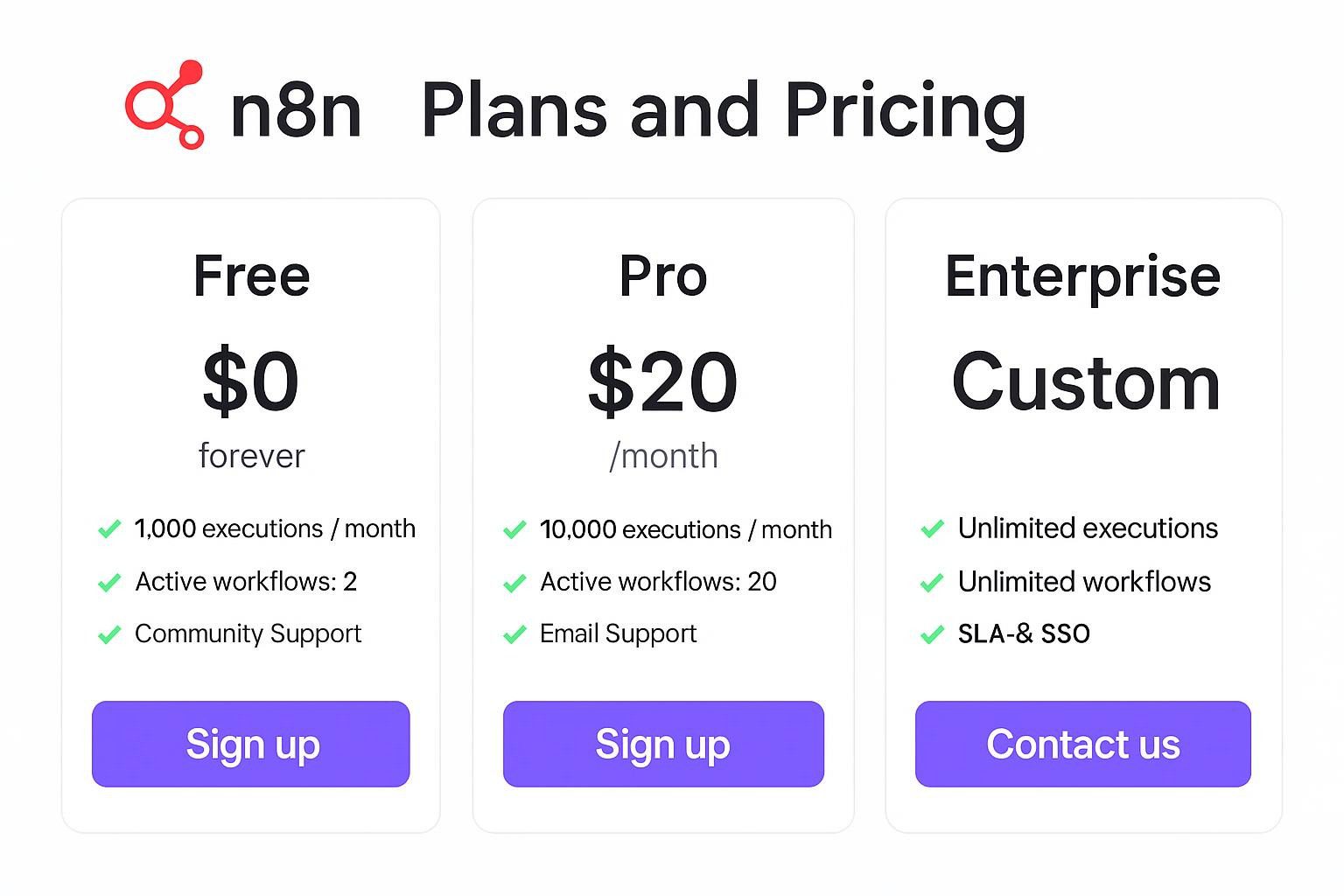
n8n Cloud costs €24/month (Starter, 2,500 executions), €60/month (Pro, 10,000) and €800/month (Business, 40,000) on monthly billing. Annual billing brings those to €20, €50, and €667 per month. The self-hosted Community Edition is free with no execution cap, but you pay for the server and for your own upkeep. Enterprise is custom-quoted.
The unit that matters is the execution: one complete workflow run, however many nodes it contains. A 20-node workflow and a 2-node workflow cost the same. That is why n8n tends to get cheaper than Zapier and Make as workflows grow longer.
Two things trip people up, and both are covered below:
- Schedule Triggers burn executions on every tick, even when there is nothing to process. A workflow scheduled every 5 minutes uses 8,640 executions a month and empties a Starter plan in under nine days.
- The jump from Pro (€50–60) to Business (€667–800) is about 13×. Most of what you pay for is governance features, not volume.
How to read the confidence labels
Every number that could age badly carries a tag:
- [Verified]: stated in n8n’s own documentation or pricing page, or confirmed by several independent sources.
- [Reported]: stated by one or two secondary sources; check it before you buy.
- [Model]: arithmetic from stated assumptions, not a measurement.
Contents
- n8n plans and prices
- What counts as an execution
- The Schedule Trigger trap
- What happens when you hit the limit
- Self-hosting: license, real costs, break-even
- n8n vs Zapier vs Make
- The Pro-to-Business cliff
- AI workflows: what n8n bills and what it doesn’t
- Which option fits you
- FAQ
- Sources and method
n8n plans and prices
All cloud plans include unlimited users, unlimited workflows, and every integration. Only executions (and the limits below) change with the tier. [Verified]
| Community (self-hosted) | Starter | Pro | Business | Enterprise | |
|---|---|---|---|---|---|
| Monthly billing | €0 licence | €24 | €60 | €800 | Custom |
| Annual billing (per month) | €0 | €20 | €50 | €667 | Custom |
| Executions/month | Unlimited | 2,500 | 10,000 | 40,000 | Custom |
| Concurrent executions | Your hardware | 5 | 20 | 30 | 200+ [Reported] |
| Shared projects | n/a | 1 | 3 | 6 [Reported] | Custom |
| SSO / SAML / LDAP | No | No | No | Yes | Yes |
| Git version control, multiple environments | No | No | No | Yes | Yes |
| Execution history | You decide | Short | Longer | 30 days | Custom |
| Free trial | n/a | 14 days, no card | 14 days, no card | Card required | n/a |
Notes that the pricing table hides:
- Annual billing saves about 17%. Monthly prices are roughly 20% above the annual equivalent, so a quarter-long test costs about €4 extra on Starter and €10 extra on Pro. [Reported]
- Cloud is not the only way to buy Business. n8n’s documentation says paid plans, “whether cloud or self-hosted”, carry an execution quota. Current sources disagree on whether Business is sold as cloud, as a self-hosted licence, or both, so confirm the deployment option on n8n’s pricing page before purchase. [Reported]
- Trials are limited. One 2026 breakdown reports the Pro trial caps you at 1,000 executions, 5 concurrent runs, and 180 seconds per execution. [Reported]
- Enterprise pricing is not published. I found no verified public figure, so treat any number quoted in forums as an anecdote and get a written quote.
- Startup discount. n8n runs a startup program that gives small companies 50% off Business. Eligibility rules (company size, stage) are set by n8n; apply before you pay. [Reported]
- The free cloud tier is gone. Cloud starts at Starter. Free means self-hosting.
What counts as an execution
n8n’s documentation spells this out by trigger type. This is the single most useful table in this guide because many pricing articles, including an earlier version of this one, get it wrong. [Verified: n8n docs]
| What happened | Counts toward your quota? |
|---|---|
| Schedule Trigger fires | Yes, every time, regardless of outcome |
| Polling trigger node (Google Drive Trigger, Gmail Trigger and similar) checks and finds nothing new | No |
| Polling trigger finds new data | Yes, one execution |
| Webhook receives a valid request | Yes, one per inbound request |
| Malformed webhook request that fails before the workflow starts | No |
| Manual run from the editor (test run) | No: only production executions count |
| A workflow calls another with Execute Sub-workflow | Only the parent counts |
| Data volume (5 rows or 5,000 rows in one run) | Irrelevant: still one execution |
Three edge cases are less clear:
- Failed production runs. n8n’s documentation does not exempt them, and a reply from n8n’s community team states that a scheduled workflow that triggers and then fails still counts. Several guides claim failed runs are free; I could not confirm that. [Reported] Assume they count.
- Retries. “Retry on Fail” on a node stays inside the original execution. Manually re-running a saved failed execution creates a separate billable run. [Reported]
- Self-triggering loops. If a workflow writes to the same Google Sheet its trigger watches, each write can start another run. A misconfigured loop can burn a Starter month in an afternoon. The community thread on this is worth reading before you build any “update the sheet that triggers me” pattern.
Other guides still claim that sub-workflow calls count as extra executions. n8n’s own documentation says they don’t, and the docs win.
The Schedule Trigger trap
A Schedule Trigger counts one execution every time it fires, even if the run does nothing. The monthly cost follows directly from the interval. [Model: 30-day month]
| Schedule interval | Executions/day | Executions/month | Starter (2,500) lasts | Pro (10,000) lasts |
|---|---|---|---|---|
| Every 1 minute | 1,440 | 43,200 | 1.7 days | 6.9 days |
| Every 5 minutes | 288 | 8,640 | 8.7 days | 34.7 days |
| Every 15 minutes | 96 | 2,880 | 26 days | Full month |
| Every 30 minutes | 48 | 1,440 | Full month | Full month |
| Hourly | 24 | 720 | Full month | Full month |
| Daily | 1 | 30 | Full month | Full month |
Ways to stay inside your plan:
- Prefer webhooks. Stripe, Shopify, GitHub, HubSpot, Notion, and most modern SaaS tools can push events. You pay for events that happened, not for checks that found nothing.
- Prefer the app’s own trigger node over Schedule + HTTP Request. Polling trigger nodes only count when they find new data, so a Gmail Trigger is far cheaper than a Schedule Trigger that fetches Gmail every five minutes.
- Consolidate schedules. Five workflows each running every 5 minutes use 43,200 executions a month. One workflow that checks all five things every 30 minutes uses 1,440. [Model]
- Lengthen intervals. Most “near real-time” requirements are really “within the hour”.
- Watch Settings → Usage in your first week. Quota problems are visible before the quota is gone.
- Protect webhooks upstream. Every valid inbound request counts, including duplicates and retries from the sender. If a source retries aggressively, deduplicate at the source.
Worked example (all numbers [Model]). A solo operator runs a lead-form webhook (about 50 leads a day, 1,500/month), a Notion-to-Slack bot on a 15-minute Schedule Trigger (2,880), and a daily report (30). That is 4,410 executions: too many for Starter, comfortable on Pro. Change the Notion bot to a webhook or a polling trigger node, and the same stack drops to roughly 1,530 plus however many Notion changes actually occur, which fits on Starter.
What happens when you hit the limit
- Starter and Pro: you are not charged extra, but workflows stop running. n8n’s help centre says executions at the limit are not queued, so events arriving after the cap are lost rather than replayed. [Reported] For anything that handles orders, payments, or customer messages, that is a business-continuity risk, not a billing detail.
- Business and Enterprise: workflows keep running, and overages apply. The published overage is €4,000 per extra bucket of 300,000 executions (about €0.013 per execution), invoiced automatically about 45 days after the overage if you haven’t upgraded. [Verified for the bucket price; Reported for the invoicing timing]
- Unused executions do not roll over to the next month. [Reported]
Cost per included execution at list price [Model]:
| Plan (annual billing) | Price | Executions | Per execution |
|---|---|---|---|
| Starter | €20 | 2,500 | €0.0080 |
| Pro | €50 | 10,000 | €0.0050 |
| Business | €667 | 40,000 | €0.0167 |
| Business overage | €4,000 | 300,000 | €0.0133 |
Pro is the volume sweet spot. Business is priced for features, not volume: per included execution, it costs more than three times as much as Pro.
Self-hosting: license, real costs, break-even
What “free” means
The Community Edition has no licence fee and no limit on executions, workflows or users. [Verified] You supply the server, the database, backups, updates, and incident response.
The licence is not open source
. n8n uses the Sustainable Use License, a “fair-code” licence. In practice:
- Allowed: running n8n for your own company’s internal use, modifying it, and consulting: building and maintaining workflows on instances your clients own.
- Not allowed without a commercial agreement: reselling n8n as a hosted service, giving multiple customers logins to a shared instance you operate, or embedding it in a commercial product. [Reported by several sources, including an agency-focused licensing guide that cites n8n’s own support article]
If you are an agency, the clean pattern is one instance per client, owned by the client. If your model is closer to “customers log in to my n8n”, ask n8n for a commercial licence in writing first.
What Community Edition lacks
SSO/SAML/LDAP, Git-based version control, and multiple environments are Business features. Self-hosting does not unlock them without a paid licence. Self-hosted Business also carries an execution quota, so “self-hosted” and “unlimited” are not synonyms once you buy a licence. [Verified: n8n docs]
What it really costs to run
Server prices moved this year. Hetzner raised cloud prices by roughly 30–37% on 1 April 2026 and retired the CX22 plan in favour of the CX23 (2 vCPU, 4 GB RAM, 40 GB SSD). Sources I checked list the CX23 anywhere from about €3.99 to €5.99 a month depending on date, region, and tax treatment, so budget €4–6/month and check the live price. [Reported]
Sizing: roughly 1–2 vCPU and 2 GB RAM is a testing floor. For production, community guidance points to 4 GB RAM. [Reported]
Add the small stuff: backups, a domain for webhooks, uptime monitoring, and a separate Postgres if you don’t run it on the same box. These are usually single-digit euros a month. The real cost is your time.
The break-even formula
Self-hosting beats cloud when the money you save exceeds the value of the hours you spend. [Model: server €5/month; excludes backups and domain]
| Compared with | Monthly saving (annual billing) | Break-even upkeep at €25/h | at €50/h | at €100/h |
|---|---|---|---|---|
| Cloud Pro (€50) | €45 | 108 min/month | 54 min/month | 27 min/month |
| Cloud Business (€667) | €662 | 26.5 h/month | 13.2 h/month | 6.6 h/month |
Reading the table:
- Against Pro, self-hosting only wins if you keep upkeep under an hour or two a month. For a team without server experience, that is not guaranteed.
- Against Business, it wins by a wide margin, but only if Community Edition’s missing features (SSO, Git, environments) are acceptable to you.
- Below about 500 executions a month, Cloud Starter at €20 is often cheaper than a server plus the time to run it. [Reported]
Over 36 months, one German provider computes about €1,800 for Cloud Pro against roughly €216 in raw server cost on a Hetzner CX23. That is true as far as it goes: raw hosting cost excludes your own time, and the provider sells managed n8n hosting, so weigh it accordingly. [Reported]
When self-hosting is a requirement rather than a saving
- Regulated data that must not leave your infrastructure.
- Local AI models running next to n8n.
- Execution volumes well above what Pro covers when you don’t need Business features.
- A contractual requirement for a specific region. n8n Cloud runs in the EU (Frankfurt, per n8n’s materials), so verify compliance documents with n8n’s trust centre before putting regulated workloads on it. [Reported]
n8n vs Zapier vs Make
You cannot compare plans directly because the three platforms count different things:
- n8n counts executions: one per workflow run.
- Zapier counts tasks: one per action step. As of mid-2026, it still bills on tasks. [Reported]
- Make counts credits. One 2026 comparison reports that Make renamed “operations” to “credits” on 19 January 2026, so articles that still say “operations” are out of date. It also reports that a Make polling trigger spends a credit on every check even when it finds nothing, which is the opposite of how n8n’s polling nodes behave. [Reported: single source for both points]
Units consumed by an 8-step workflow
[Model: one task or credit per step; ignores trigger-counting differences]
| Runs per month | n8n executions | Zapier tasks | Make credits (approx.) | Fits n8n plan |
|---|---|---|---|---|
| 1,000 | 1,000 | 8,000 | ~8,000 | Starter |
| 5,000 | 5,000 | 40,000 | ~40,000 | Pro |
| 10,000 | 10,000 | 80,000 | ~80,000 | Pro |
What the plans cost (as published in 2026)
| n8n Cloud | Zapier | Make | |
|---|---|---|---|
| Free | Self-hosted only | 100 tasks/month | 1,000 credits/month |
| Entry paid | €24/month (€20 annual), 2,500 executions | $29.99/month ($19.99 annual), 750 tasks | About $10.59/month ($9 annual), 10,000 credits |
| Billing unit | Workflow run | Action step | Module step |
| Self-hosting | Yes | No | No |
| Integrations | 400+ native plus HTTP for anything | Widest catalogue | Large catalogue |
Prices: n8n [Verified], Zapier and Make [Reported: multiple 2026 comparisons]. Zapier also changed overage rates on monthly-billed plans on 15 July 2026, so check the current terms. [Reported]
For one independent estimate at the 10,000-run, 8-step level (80,000 steps), a 2026 comparison models Zapier at about $599/month on the 100,000-task tier, Make at about $59/month on its 100,000-credit tier, and n8n Cloud Pro at €50/month. [Reported: single source, treat as indicative]
The honest verdict
- Make beats n8n Cloud on price for short, low-volume workflows. At around 10,000 credits a month, Make’s entry plan is cheaper than any paid n8n plan.
- n8n Cloud wins as workflows get longer and busier, because adding steps doesn’t add cost.
- Zapier wins on breadth and speed to a working automation, and loses on price per unit as volume grows.
- Self-hosted n8n has no equivalent at Zapier or Make, which don’t offer self-hosting.
Migration shortcut. Divide your monthly Zapier tasks by your average steps per workflow to estimate n8n executions. 20,000 tasks across 8-step workflows is about 2,500 executions, if the triggers are event-driven. Rebuild the trigger logic before you trust the estimate: a Zap that polls on a timer may become a Schedule Trigger in n8n, and that changes the count.
The Pro-to-Business cliff
Pro at €50 and Business at €667 is a 13× jump for 4× the executions. What the extra money buys:
- SSO, SAML and LDAP sign-in
- Git version control and dev/staging/production environments
- 30-day execution history
- More shared projects
- Overage billing instead of a hard stop
If you don’t need those, there are three ways round the cliff:
- Stay on Pro and cut executions with the trigger changes above.
- Self-host Community Edition, accepting the missing governance features (see the break-even table).
- Check the startup program if you are a small company: it halves Business.
If you do need SSO or Git because a security team or auditor requires them, none of those help, and Business is the entry point. Find that out before procurement, not during it.
AI workflows: what n8n bills and what it doesn’t
- n8n bills one execution per workflow run. The number of AI nodes, LLM calls, or tokens inside it does not change the n8n charge. [Verified: execution model]
- The model provider bills separately. OpenAI, Anthropic, Google, and others charge by usage on top. For heavy AI workflows, the LLM bill will usually dwarf the n8n bill. Look up current per-token prices on the provider’s own page, since they change often.
- Long agent runs occupy concurrency slots. Starter allows 5 concurrent executions and Pro allows 20. An agent that runs for minutes can hold a slot, so test concurrency, not just execution count. [Model: inference from the plan limits]
- Local models cut API fees, not hardware costs. Running a local LLM next to a self-hosted n8n removes per-token billing but needs a capable server. Whether that is cheaper depends on your volume. Price it out before assuming it is.
Which option fits you
| Your situation | Likely best fit | Why |
|---|---|---|
| Under 500 runs/month, no server skills | Cloud Starter | Cheaper than a server plus your time |
| 2,500–10,000 runs/month, webhook-driven, no DevOps | Cloud Pro | Fixed cost, no maintenance |
| 10,000+ runs/month, someone can run Docker | Self-hosted Community | No cap, roughly €5/month in hosting |
| Need SSO or Git, under 40,000 runs/month | Business (check startup discount) | Only tier with those features |
| Regulated data or on-prem requirement | Self-hosted | Data stays on your infrastructure |
| Agency serving clients | One instance per client, client-owned | Stays inside the licence |
| Short, simple automations, non-technical team | Make or Zapier may be cheaper or easier | n8n’s strengths show up in complex workflows |
The VEST check before you buy
- Volume. Count real monthly executions and separate Schedule Triggers from webhooks and polling nodes.
- Expertise. Can someone SSH into a server and fix it when it breaks? If not, price Cloud.
- Sovereignty. Do compliance or contract terms restrict where data lives?
- Team features. Do you need SSO, Git, or audit controls? If yes, Business or Enterprise is the floor.
FAQ
Is n8n free?
The self-hosted Community Edition is free to use and has no execution limit. Cloud plans start at €24/month (€20 on annual billing). A server and your own maintenance time are the real costs of self-hosting.
How much does n8n cost per month?
Cloud: €24 (Starter), €60 (Pro), €800 (Business) monthly, or €20, €50, and €667 on annual billing. Enterprise is custom. Self-hosting is a few euros a month in server costs.
How does n8n count executions?
One production workflow run is one execution, regardless of how many nodes it has or how much data it processes. Manual test runs don’t count, and sub-workflow runs don’t count separately from the parent.
Do polling triggers use executions when nothing has changed?
Polling trigger nodes such as Google Drive Trigger count only when they find new data. A Schedule Trigger counts every time it fires, whether or not the workflow finds anything to do.
What happens when I run out of executions?
On Starter and Pro, workflows stop until the next billing cycle, and executions at the limit are not queued. On Business and Enterprise, workflows keep running, and overages are billed.
Do failed executions count?
n8n’s documentation only exempts manual runs, and a community-team reply says failed scheduled runs still count. Plan as if failures count.
What is the cheapest way to run n8n?
Self-host the Community Edition on a small VPS such as a 2 vCPU, 4 GB plan costing roughly €4–6 a month, if you can handle updates and backups. Against Cloud Pro, it pays off when upkeep stays under about an hour a month at a €50/hour valuation of your time.
Is n8n cheaper than Zapier?
For multi-step workflows at volume, usually yes, because Zapier bills per action step and n8n bills per run. For short, low-volume workflows, Make can be cheaper than n8n Cloud.
Can an agency host n8n for clients?
Consulting and building workflows on client-owned instances is permitted under the Sustainable Use License. Running a shared instance that clients log in to as a paid service needs a commercial licence from n8n.
Is there a startup discount?
Yes, n8n has a startup program that gives small companies 50% off Business. Eligibility is set by n8n, so apply before you pay.
Does n8n bill extra for AI agents?
No. n8n counts an AI workflow as one execution per run. You pay your model provider separately for tokens, unless you run a local model.
Sources and method
Method. n8n’s own documentation was treated as authoritative for how executions are counted. Plan prices were cross-checked against n8n’s pricing page and several independent breakdowns published June to October 2026. Where sources conflicted, the claim is labelled [Reported] or left out. Break-even figures are arithmetic from stated assumptions and labelled [Model]. No quotes or anecdotes in this guide are invented, and no figure is estimated without a label.
Primary sources
- n8n documentation, Understand executions: https://docs.n8n.io/build/understand-workflows/understand-executions
- n8n pricing page: https://n8n.io/pricing/
Secondary sources (accessed October 2026)
- n8n community: failed executions, retries, sub-workflows: https://community.n8n.io/t/how-are-executions-counted-across-multiple-instances-st-sit-prod-advice-on-keeping-execution-volume-under-control/320063
- n8n community: self-triggering polling loops: https://community.n8n.io/t/whether-polling-by-special-triggers-is-an-execution-or-not/220248
- CloudZero, n8n pricing: https://www.cloudzero.com/blog/n8n-pricing/
- Jet Admin, n8n pricing (checked 26 Sept 2026): https://www.jetadmin.io/blog/n8n-pricing/
- selfhost.dev, n8n pricing (checked 27 Sept 2026): https://selfhost.dev/blog/n8n-pricing/
- Toolradar, n8n pricing: https://toolradar.com/blog/n8n-pricing-2026
- Toolradar, Zapier pricing: https://toolradar.com/blog/zapier-pricing-2026
- Hackceleration, Make vs Zapier: https://hackceleration.com/labs/compare/make-vs-zapier
- Activepieces, Zapier pricing: https://activepieces.com/blog/zapier-pricing
- Automation Atlas, Zapier pricing: https://automationatlas.io/answers/zapier-pricing-explained-2026/
- NordFlux, agency hosting and the Sustainable Use License: https://nordflux.de/en/guides/n8n-agentur-kunden-hosten-lizenz
- NordFlux, cloud vs self-hosted cost: https://nordflux.de/en/guides/cost-comparison-cloud-vs-self-hosted-on-hetzner-over-3-years
Update note (20 October 2026). An earlier version of this guide said polling workflows always consume executions even when nothing is found. That is wrong for polling trigger nodes and right only for Schedule Triggers. It also said failed runs are free, that Business allows 200+ concurrent executions, and that sub-workflows might double-count; those claims have been corrected or removed, along with an unsourced comparison chart. The 3-year cost example previously assumed 12,000 executions on Cloud Pro, which exceeds Pro’s 10,000 cap; it is replaced by the break-even table.
Disclosure. AIEarnerHub may participate in affiliate programs for tools discussed. Editorial decisions are made independently of commercial relationships. Next scheduled review: January 2027.
Related guides
- The Complete Guide to AI Automation Tools in 2026
- Best AI Tools for Solopreneurs
- AI Workflow Optimization: Design for Minimal Execution Count