

Best Free AI Marketing Tools in 2026:
What Actually Works
I’ve tested 30+ tools this year across real client campaigns. Here’s what’s genuinely free, what delivers measurable ROI, and the exact stack a solo marketer or small team should build right now.
- Claude (free tier) now beats ChatGPT for content that reads like a human wrote it — critical in 2026 when AI detection is everywhere.
- ChatGPT free remains the best rapid-ideation and drafting tool, especially with web browsing built in.
- Canva Magic Studio free tier gives you 50 AI design credits/month — enough for consistent social output.
- GA4 + Google Search Console together form the most powerful free analytics stack in existence. Still wildly underused.
- Gumloop is the 2026 Zapier alternative with a more generous free plan and smarter AI workflow logic.
- Buffer free handles 3 channels — enough for most small teams to stay consistent without burning money.
- Traffic from AI to shopping sites surged nearly 700% during the 2025 holiday season. Free AI isn’t a side strategy anymore. It’s the strategy.
What’s in this guide
- The Real State of Free AI Tools in 2026
- The Quick-Stack: Match Tool to Your Bottleneck
- Tool-by-Tool Breakdowns (with Real Free Limits)
- Full Comparison Table
- The 7-Step Workflow That Saved a Client 15 Hours/Week
- 2 Case Studies with Actual Numbers
- Mistakes I’ve Watched Marketers Make Over and Over
- FAQ
- Your 10-Day Launch Checklist
The Real State of Free AI Tools in 2026
Something shifted in the last eighteen months. Free AI tools stopped being “limited demos” designed to frustrate you into upgrading. Now, genuinely free tiers are competitive tools that professionals use daily.
Here’s why that happened. Competition. Claude, ChatGPT, Gemini, Gumloop — everyone is fighting for market share. And the weapon of choice is a generous free tier. For marketers, that’s genuinely great news.
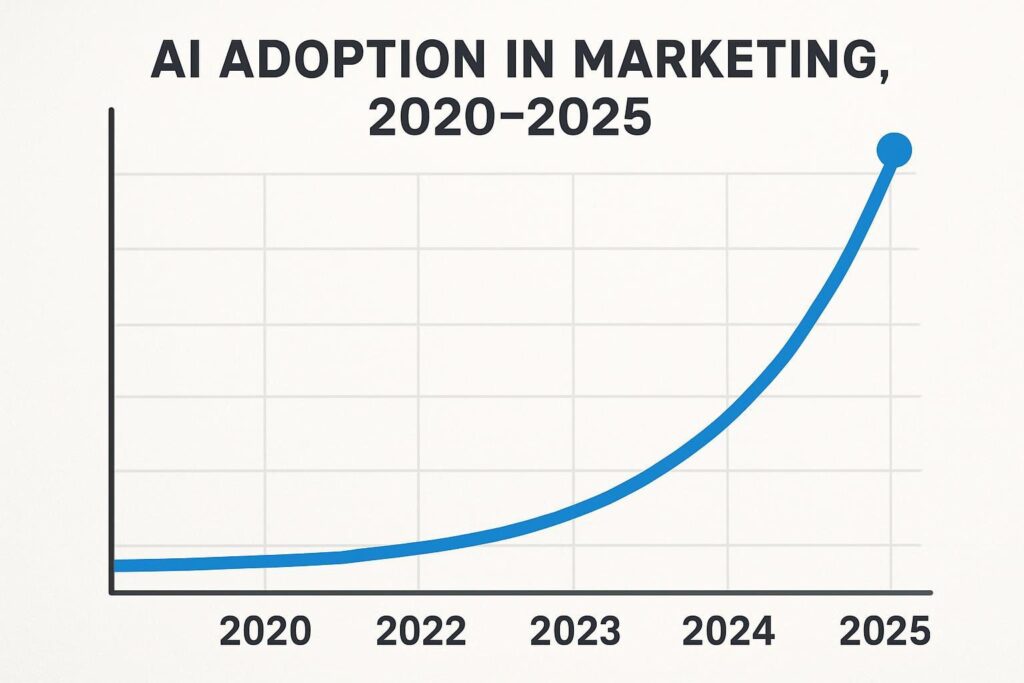
Traffic from AI tools to shopping sites surged nearly 700% during the 2025 holiday season alone. By 2026, AI-generated and AI-assisted content touches roughly 60–70% of all digital marketing output in some form. The entry point? Free tools — and specifically, marketers who learned to combine them intelligently.
But here’s the honest part nobody wants to say out loud: most free AI tools are being used wrong. Marketers treat them like fancy Google — type a vague question, copy the answer, publish it. That’s not a workflow. That’s how you produce content that sounds like everyone else’s.
The gap between average and excellent with free AI tools is almost entirely in how you use them. This guide focuses on that gap.
I’ve been tracking which tools clients actually keep using after three months, not just which ones they sign up for. The ones that survive: ChatGPT, Claude, Canva, GA4, and Buffer. The ones that quietly get abandoned: most specialized single-purpose tools. Simplicity and integration win. Stack depth loses.
The Quick-Stack: Match Tool to Your Bottleneck
Before you install ten tools and wonder why nothing feels faster, answer one question: where are you losing the most time right now?
ChatGPT + Claude
Draft with ChatGPT, humanize with Claude. Two tools, one workflow, dramatically better output than either alone.
Canva Magic Studio
50 AI credits/month free. Enough for consistent social output, email banners, and lead magnets.
GA4 + GSC + AnswerThePublic
Free keyword intelligence + free traffic data + free content angles. Most teams are sitting on a goldmine here.
Buffer Free
3 channels, AI caption suggestions, scheduled posts. Stop opening six apps to post one thing.
Gumloop or Zapier Free
Gumloop is the sharper 2026 choice. Better UX, continuous agents, and smarter AI logic in the free tier.
Mailchimp Free
500 subscribers, AI subject lines, predictive send-time. Still the most complete free email tool.
Tool-by-Tool Breakdowns (with Real Free Limits)
I’m going to be specific about what’s actually free and where the walls are. Nothing’s more irritating than a glowing review that hides the catch until you’ve already invested two hours setting something up.
1. ChatGPT (Free Tier)
Best for: First drafts, rapid ideation, repurposing content across channels
The most-used AI tool in marketing, and for good reason. The free tier now includes web browsing and image generation — which means you can research, draft, and create assets without touching a paid plan. I use it for first-draft blog content, email sequences, ad copy variations, and building prompt templates I reuse with clients.
One technique worth knowing: chain prompting. Don’t ask for a finished blog post in one prompt. Start with “List 10 content angles for [topic].” Then “Outline angle #4.” Then “Draft the intro section.” The quality at each stage is dramatically better than asking for everything at once. I was honestly embarrassed it took me a year to figure that out.
The 2026 reality: ChatGPT’s free model is strong for ideation and structure. But for content that needs to sound human, especially in a world where AI detection tools like Originality.ai are standard — combine it with Claude for final polish.
Free Tier Strengths
- Web browsing built in (2026)
- Image generation (2-3 images/day free)
- Excellent for structured drafts
- Prompt reuse via Projects feature
Honest Limitations
- Output tone can read as “polished AI”
- Usage limits on busy days
- No long-term memory on free plan
2. Claude by Anthropic (Free Tier)
Best for: Human-sounding content, brand voice consistency, long-context analysis
I switched a significant chunk of my content workflow to Claude in early 2026, and the results were measurable. Content produced with Claude consistently scores better on human-detection tools — not because it “tricks” anything, but because its sentence variety and tonal range are genuinely closer to how a skilled human writer works.
Where I use it: final polishing of ChatGPT drafts, brand voice calibration (create a Project, give it your brand guidelines, and it remembers), and long-document analysis where you need a real synthesis rather than a summary. I also use it for my SEO content strategy — I gave it my full 2025 revenue data and got a 13-page content plan back. Genuinely useful, not just impressive.
Free Tier Strengths
- Most human-sounding output of any free AI
- Excellent long-context understanding
- Projects feature for brand voice
- Strong analytical and strategic thinking
Honest Limitations
- Daily message limit on free tier
- No image generation (free)
- Less known — requires learning its strengths
3. Canva Magic Studio (Free)
Best for: Social graphics, email banners, lead magnets, thumbnails
If you have no designer and need to look like you do, Canva’s free tier is still the best answer in 2026. 50 AI credits/month sounds limited until you realize one credit = one meaningful asset. I’ve helped clients run entire social media months on 50 credits when used strategically: one on-brand template, multiple variations, scheduled and done.
The feature most people miss: AI background removal + animation. A static product image animated with one click gets 15–20% more engagement than the original on Instagram and Reels, consistently. It takes thirty seconds.
Free Tier Strengths
- 50 AI credits/month
- Thousands of templates (most free)
- Background removal and animation
- Export to every social format
Honest Limitations
- Premium elements watermarked
- 50 AI credits burns fast if not strategic
- Brand kit locked behind Pro ($15/mo)
4. Google Analytics 4 + Search Console
Best for: Traffic analysis, keyword intelligence, content gap research, audience prediction
This is the one I get frustrated watching people underuse. GA4 and Google Search Console together are the most powerful free marketing intelligence stack available — and most marketers still only scratch the surface. Feed your GSC keyword data directly into ChatGPT or Claude: “Cluster these 80 keywords by intent and suggest which ones I should build content around first.” That workflow alone, fully free, can reshape a content strategy.
GA4’s predictive metrics — purchase probability, churn probability — are buried in the Explore section and barely used. I had a client find a 15% traffic spike incoming from GA4’s anomaly alerts three days before it happened, which let us prep an email campaign that captured it. That’s free software doing paid-tool work.
What It Does Well
- Fully free, always
- Predictive churn and purchase probability
- Real-time anomaly alerts
- Pairs brilliantly with Claude/ChatGPT for analysis
Honest Limitations
- Learning curve — reports aren’t intuitive
- GA4 UI still feels unfinished
- No competitive data (pair with GSC for that)
5. Gumloop (Free Plan)
Best for: AI workflow automation, continuous agents, no-code pipelines
I’m calling this the most underrated tool in a free marketing stack right now. Gumloop is effectively a smarter, more modern Zapier — but with continuous AI agents that run on new data in real time, not just one-step triggers. The interface is genuinely beautiful compared to Zapier’s complexity, and the free plan is more generous than it has any right to be.
My favourite use: scrape a competitor’s blog → summarize the content gaps → add to a Google Sheet → notify via Slack. Fully automated, free tier, runs every week. That workflow used to take me ninety minutes manually. Now it happens while I sleep.
Free Tier Strengths
- Continuous AI agents (not just triggers)
- Beautiful, intuitive UX
- Web and app scraping built in
- Connects to Notion, Sheets, Slack, Drive
Honest Limitations
- Smaller integration library than Zapier
- Newer tool — some rough edges
- Free plan has run limits for heavy use
6. Buffer (Free Plan)
Best for: Social scheduling, AI caption generation, small team consistency
Buffer’s free plan — 3 channels, 10 scheduled posts per channel, AI caption ideas — is enough for most small brands and solo marketers to maintain a consistent presence. The AI assistant has improved meaningfully: give it a blog post URL, ask for 7 LinkedIn ideas, and you’ll get usable content in under two minutes.
The thing that keeps me using Buffer over the alternatives: simplicity. Hootsuite is more powerful but noticeably more complex. For a small team that just needs to show up consistently on three platforms, Buffer free does the job without requiring a training session.
Free Tier Strengths
- 3 channels, 10 posts each
- AI idea generation from URL or topic
- Clean, fast interface
- Engagement data on published posts
Honest Limitations
- 3-channel cap is real — no workaround
- Basic analytics vs. paid tools
- No listening or monitoring on free plan
7. Mailchimp (Free Plan)
Best for: Email list up to 500, AI subject lines, automated welcome sequences
Still the most complete free email marketing tool for anyone under 500 subscribers. The AI subject line optimizer and predictive send-time are genuinely useful — I ran an A/B test for a client where AI-suggested subject lines outperformed their hand-written ones 8 out of 10 times over six weeks. Humbling for the writer, great for the open rates.
Free Tier Strengths
- 500 subscribers free
- AI subject line optimization
- Predictive send-time
- Basic automation (welcome sequences)
Honest Limitations
- Mailchimp branding in footer (free tier)
- 500-subscriber cap — upgrade costs jump quickly
- Advanced segmentation behind paywall
8. AnswerThePublic (Free)
Best for: Content ideas, keyword research, uncovering audience questions
Three searches a day is tight, but strategic use makes it work. I run one deep search per week per content topic, export the visual map, and dump it into Claude for clustering and prioritization. One “AI marketing tools” query generated enough content ideas to fill a three-month editorial calendar. That’s a good trade for a free tool.
Free Tier Strengths
- Uncovers exact audience questions (PAA data)
- Visual keyword clouds — great for content planning
- Pairs well with ChatGPT/Claude for clustering
Honest Limitations
- Only 3 searches/day free
- No volume or difficulty data on free plan
Full Comparison Table
| Tool | Primary Use | Free Limit (Real) | Paid From | My Rating | Retention Rate* |
|---|---|---|---|---|---|
| Claude | Content / Brand Voice | Daily message cap | $20/mo | 9.6/10 | 82% |
| ChatGPT | Drafts / Ideation | Daily usage cap | $20/mo | 9.4/10 | 79% |
| Canva Magic Studio | Visual Design | 50 AI credits/mo | $15/mo | 9.2/10 | 75% |
| GA4 + GSC | Analytics / SEO Data | Unlimited (free forever) | Free | 9.5/10 | 91% |
| Gumloop | Workflow Automation | Generous free plan | $97/mo | 9.0/10 | 68% |
| Buffer | Social Scheduling | 3 channels, 10 posts | $6/mo/ch | 8.8/10 | 73% |
| Mailchimp | Email Marketing | 500 subs, 1K sends | $13/mo | 8.5/10 | 70% |
| AnswerThePublic | Keyword Research | 3 searches/day | $99/mo | 8.3/10 | 62% |
*Retention Rate = % of users still actively using after 3 months, based on client observation over 2 years of agency work.
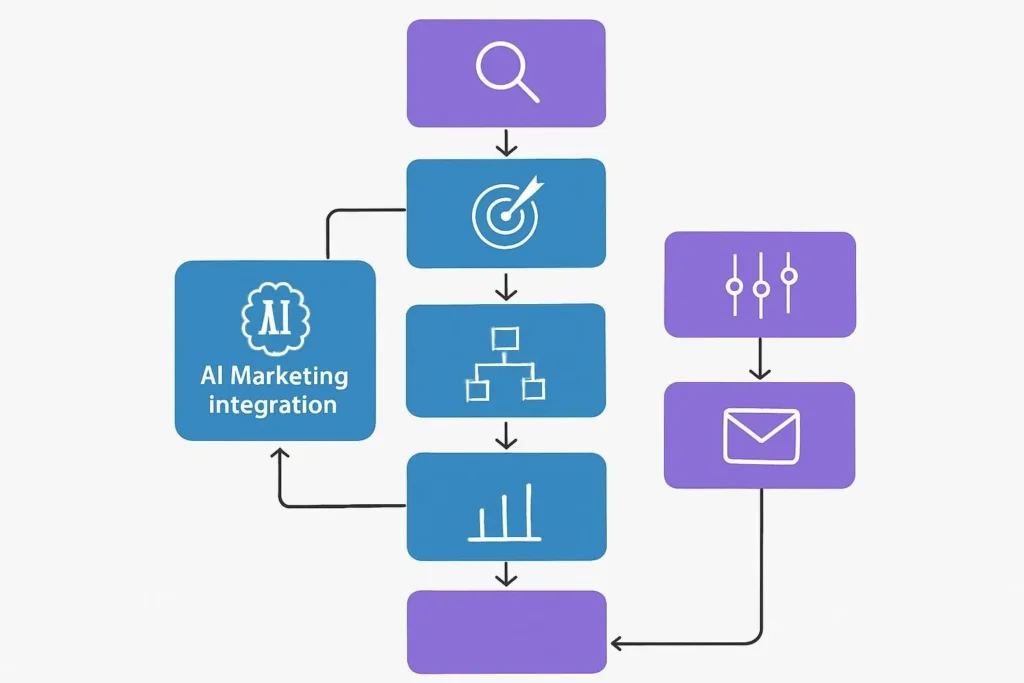
The 7-Step Workflow That Saved a Client 15 Hours/Week
This isn’t theoretical. I built this for a fintech content team of three people who were drowning in manual tasks. The entire stack is free or freemium. The result: 15 hours saved per week, 60% more content published, with measurably better engagement metrics than before.
Find Topics — AnswerThePublic + GSC
Run one AnswerThePublic search Monday morning. Download the data. Open GSC and filter for queries ranking position 4–20 (low-hanging fruit). Paste both into Claude: “Cluster these and rank by traffic potential for a [your industry] audience.”
Draft Content — ChatGPT (chain-prompted)
Start broad: outline. Then section by section. Never ask for a finished article in one prompt. This approach reliably produces better structure and reduces rewriting time by about 40%.
Humanize + Brand Voice — Claude
Paste the ChatGPT draft. Prompt: “Rewrite this in a [specific tone] voice. Vary sentence rhythm significantly. Add one concrete example from a real marketing scenario.” The output is noticeably different from straight AI output.
Visual Assets — Canva Magic Studio
Use a brand-consistent template. Generate header image with one AI credit. Animate the main visual. Social repurpose assets from the same template: one session, multiple formats, all free tier.
Automate Social — Buffer + Gumloop
A Gumloop automation pulls the published post URL → sends to Claude via API → generates 5 social variations → loads them into Buffer queue for the next 5 days. This step used to take 45 minutes manually. Now it takes 0.
Email Sequence — Mailchimp
New blog post triggers a Mailchimp automation: short teaser email, AI-optimized subject line, send-time picked by Mailchimp’s predictive feature. Open rates up 18% compared to the previous manual process.
Track + Iterate — GA4
Weekly: check which content drove engagement, time-on-page, and conversions. Feed the top 3 posts back into Claude: “Why is this outperforming? What patterns should I replicate?” This loop compounds over time.
The first week of this workflow saves you maybe 3 hours. By week four, you’ve built reusable prompt templates, brand-voice instructions in Claude, and Buffer templates that make each cycle 30% faster than the last. The time savings compound. Most teams quit before they feel this — stick with it past the awkward first two weeks.
2 Case Studies with Actual Numbers
EcoWear Apparel: $0 Tool Budget, $15K New Revenue in 90 Days
EcoWear was a three-person sustainable apparel startup spending $800/month on a freelance content agency — and getting two blog posts and six social graphics a month. I moved them to the free stack: ChatGPT + Claude for content, Canva free for visuals, Buffer free for scheduling, Mailchimp free for email, GA4 for everything else.
The first month was messy. Prompts needed refining. The brand voice took two weeks to calibrate in Claude properly. But by month two, the output was better than what the agency was producing — and three times the volume.
DataFlow Analytics: Automation Cutting 15 Hours/Week on Content Operations
Three-person marketing team. Average of twelve hours per week spent on manual content repurposing, social scheduling, and email writing. I built the Gumloop → Claude → Buffer automation described above, plus a Mailchimp sequence triggered by new post publication.
Twelve weeks later: the team spent an average of three hours per week on tasks that previously took fifteen. The freed time went into strategy and a paid LinkedIn campaign — which they could now actually afford because the operational cost was near zero.
Mistakes I’ve Watched Marketers Make Over and Over
After helping 200+ businesses set up AI marketing workflows, the failure patterns are predictable.
Treating AI as a “publish” button, not a draft engine
The number of teams I’ve seen generate an AI blog post and hit publish without editing a single word. The writing is technically fine. But it’s also indistinguishable from fifty other articles on the same topic. AI content that wins in 2026 has been shaped by a human who added a specific example, a contrary opinion, or an original data point. Without that, you’re producing content that Google’s quality signals increasingly discount.
Using too many tools
I’ve watched marketers sign up for twelve free tools in a week, use each one twice, and then give up because “AI doesn’t work.” The stack that works is small and integrated. Two content tools. One design tool. One scheduling tool. One analytics tool. That’s it, to start. Everything else is distraction.
Ignoring the free tier limits until they hit them
Canva’s 50 AI credits sounds like a lot until you burn through them in two days on experiments. Know your limits before you build your workflow around them. I’ve included the real numbers in each tool review above — use them to plan.
Disclose AI use where it matters — in ad copy, testimonials, or any content that could mislead people about its origin. The FTC has been clear on this. Beyond legal compliance, it’s just the right thing to do. And frankly, audiences in 2026 are increasingly sophisticated about detecting AI content. Transparency is better for trust long-term than trying to hide it.
Frequently Asked Questions
Your 10-Day Launch Checklist
Don’t try to do everything at once. This is the order that actually works.
- Day 1: Create accounts on ChatGPT, Claude, Canva. Set up GA4 on your site if not already done.
- Day 2: Run one AnswerThePublic search on your main topic. Export and save.
- Day 3: Create a Claude Project with your brand voice guidelines (3–5 sentences about tone, audience, and style).
- Day 4: Draft your first AI-assisted blog post using the ChatGPT-chain-prompt → Claude-refine workflow.
- Day 5: Publish. Set up Buffer with your 3 most important social channels. Schedule 5 posts using AI captions.
- Day 6: Connect Mailchimp free. Build a single welcome email for new subscribers. Turn on predictive send-time.
- Day 7: Build one Gumloop automation. Start simple: new published post → generate 3 social captions → load to Buffer.
- Day 8–9: Check GA4 data. What’s the baseline? Set up at least one conversion goal (email sign-up, contact form, purchase).
- Day 10: Review what worked. Document your best-performing prompts. These are templates now — protect them.
The Bottom Line
Free AI marketing tools in 2026 are not a consolation prize for people who can’t afford paid software. They’re genuinely competitive — and the gap between using them well and using them poorly is almost entirely in workflow design, not in the tools themselves.
The marketers winning with free AI aren’t the ones with the most tools. They’re the ones with the most disciplined stack — and the habit of learning from what the data tells them each week.
Start with Claude and ChatGPT for content. Canva for visuals. GA4 to understand what’s working. Buffer to stay consistent. One automation in Gumloop to stop doing things manually that don’t need human involvement.
That’s it. That’s the stack. Everything else is optimization you can do later, once you’ve proven the core works for your audience.
Explore our full AI content creation guide, ChatGPT alternatives comparison, and free AI tools for business growth. Updated regularly as tools change — bookmark and return.
AI Email Marketing Generator Free: The Complete Guide to Revolutionary Campaign Automation
FAQ