

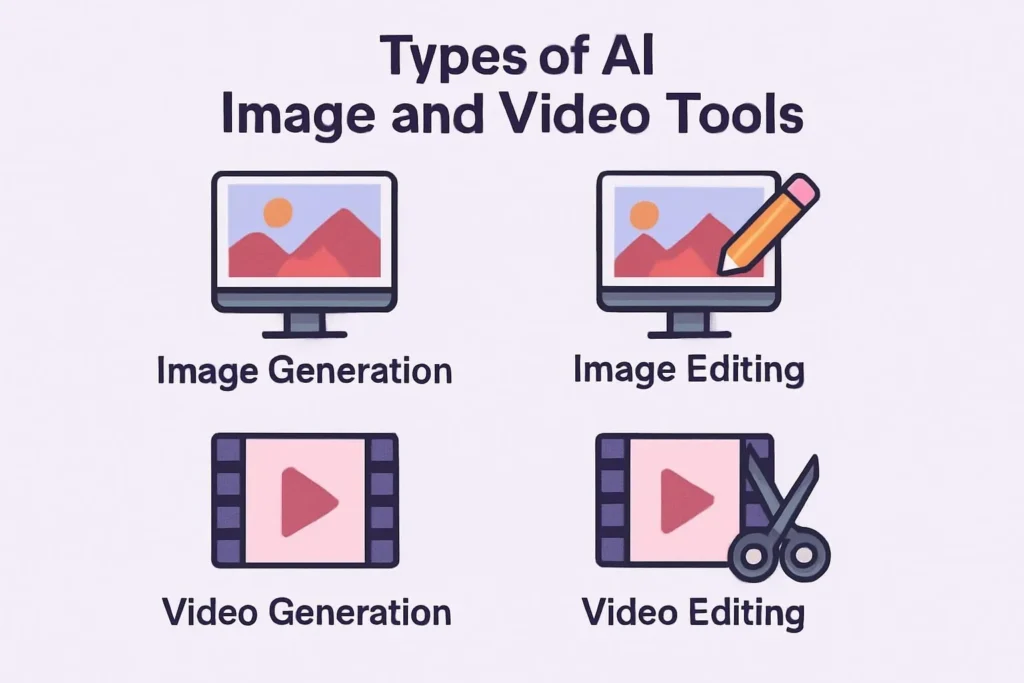

AI Image & Video Tools in 2025: What They’re Actually Good For
The marketing claims are wild. “Photorealistic in seconds.” “Replace your entire video team.” I’ve used most of these tools on real projects. Here’s the version that includes the parts that break.
- Midjourney v6 and Flux are genuinely excellent for static images. The gap with traditional photography has closed for most marketing use cases.
- AI video is two years behind AI image quality. It’s useful for specific jobs, not a wholesale replacement for video production.
- The tools that break most often: anything with hands, text in images, and maintaining visual consistency across a series
- Honest ceiling: 50–70% faster for image-heavy workflows. Video savings are real but narrower than vendors claim.
The Realistic Picture (No Pun Intended)
The generative AI image market is growing fast — Grand View Research puts the overall generative AI market at roughly $67 billion in 2024, growing at a ~37% CAGR. The visual AI segment is a meaningful chunk of that. So the market is real, the adoption is real, and some of the productivity claims have data behind them.
What doesn’t have data behind it: the specific “60–80% cost reduction” figures that appear on every vendor’s homepage. I’ve seen content teams genuinely cut their stock photography budget to near-zero with Midjourney. I’ve also seen teams spend 40% of that “saved” time on prompt iteration, quality review, and fixing AI artifacts — which doesn’t show up in the headline figure.
My honest read: AI image tools have hit genuine maturity for marketing use cases. AI video tools are catching up fast but aren’t there yet for most professional applications. The tools worth paying for are genuinely different now than they were 18 months ago.
AI Image Tools: Where the Category Actually Stands
For static images, the state of the art genuinely impresses. The jump from Midjourney v5 to v6 to the current Flux models represents a qualitative shift — not just resolution, but composition, lighting, and the handling of complex scenes. I still hit the ceiling regularly on specific subjects (hands, accurate text, crowd scenes), but for lifestyle photography, product mockups, and conceptual illustration, the output is better than most stock libraries.
AI Video Tools: Honest Assessment of a Less Mature Market
Video AI is genuinely exciting and genuinely inconsistent. I’ve generated clips with Runway, Kling, and Sora that were indistinguishable from B-roll footage at first glance. I’ve also generated complete disasters from nearly identical prompts. The reliability problem is real, and it means these tools require more human oversight than the marketing suggests.
The use cases where AI video delivers now: short-form social clips, background footage, simple product demonstrations, and adding motion to static images. Where it still struggles: long clips with consistent characters, complex camera movements, and anything with significant dialogue or action.
The Limitations Nobody Puts in Their Product Page
I keep this list because I’ve been burned by each one:
Quick Reference: Which Tool for Which Job
| Tool | Type | Starting Price | Best Single Use Case | Honest Weakness |
|---|---|---|---|---|
| Midjourney v6 | Image gen | $10/mo | High-quality marketing imagery | No API, Discord-first UX |
| Flux Pro | Image gen / fine-tune | Usage-based | Brand-specific model training | Technical setup overhead |
| Adobe Firefly | Image gen (CC integrated) | CC plan required | Commercial-safe generation | Quality below Midjourney |
| Topaz Photo AI | Image enhancement | $99 one-time | Upscaling + noise reduction | Enhancement only, not generative |
| Runway Gen-3 | Video gen | $15/mo | Cinematic short-form clips | Cost per generation adds up |
| Kling AI | Video gen | ~$8/mo | Physics-accurate motion | Rougher UX, prompt consistency |
| HeyGen | Avatar video | $29/mo | Multilingual training content | Uncanny valley on close inspection |
A Practical Workflow: How I Actually Use These
For a typical content marketing brief — hero image, social variants, short video clip — here’s the actual sequence I run, with the tool choices and where the human time still goes:
Step 1: Concept and mood boarding — ChatGPT or Claude to develop the brief into specific visual direction and prompt language. This step gets skipped constantly and it shows in output quality. Don’t skip it.
Step 2: Image generation — Midjourney for hero imagery, with 4–6 variations per concept. Budget for 15–20 minutes of prompt iteration before you get a usable result on complex briefs. Simpler briefs run faster. Really.
Step 3: Refinement — Adobe Photoshop with Firefly generative fill for cleanup, background extension, and fixing AI artifacts (hands, edge issues). Topaz if the output resolution isn’t sufficient for the placement.
Step 4: Video (if needed) — Runway or Kling for 5–10 second motion clips from the final static image. Plan for 2–3 generation attempts to get a usable clip. The first attempt is rarely the one you use.
Total wall-clock time for a complete image + social variants + one motion clip: 90 minutes to 3 hours, depending on brief complexity. The same brief with traditional stock photography and video: 4–8 hours including search time. The gain is real. It’s just not “instant.”
“AI image tools have closed the quality gap for most marketing use. AI video is still in the ‘impressive demo, unreliable production’ phase — which means the practitioners who understand its limits now will have a real edge in 12 months.”
— Tom MorganThe Earning Angle
For freelancers and agencies, the math changes your business model in a specific way. A graphic designer who generates 80% of initial concepts with Midjourney can take on 2–3x the client volume without hiring. The constraint shifts from execution time to creative direction and QA — which requires different skills than traditional design production. Probable
The risk: clients who understand how these tools work are already asking why they’re paying the same rate for work that takes 40% of the time. The answer is that you’re paying for judgment, iteration speed, and quality control — not hours. Repositioning your pricing around value rather than time is now essential for any creative freelancer using these tools at scale. See our guides on freelance creative rates in 2025 and AI tools for passive income.
Honest Ceiling
FAQ
- [1] Grand View Research — Generative AI Market Size Report, 2024
- [2] HubSpot — State of Marketing Report 2024 (AI image generator adoption)
- [3] Adobe — Adobe Firefly: Training Data and Commercial Terms
- [4] Runway — Runway Gen-3 Alpha Pricing and Capabilities
- [5] Black Forest Labs — Flux Model Documentation
- [6] EU AI Act — EU AI Act: Content Disclosure Requirements
- [7] HeyGen — HeyGen Pricing and Feature Overview
- [8] Topaz Labs — Topaz Gigapixel AI Product Page
Top 7 AI Image Processing Online Strategies for 2025
Best AI Social Media Manager Tools: Transform Your Strategy
Best AI Image and Video Generators from Text in 2026
AI Image and Video Creation Tools
Best AI Social Media Apps: The 2026 Revolution in Digital Connections
Best AI Image & Video Tools: The Complete Creator’s Guide
Luma AI: Complete Guide to AI Video Generation Revolution
Gallery