The Real State of Open Source AI Automation in 2026
Over 4.3 million AI repositories on GitHub — and most teams still pick tools based on blog posts written before half these projects existed. Here’s what actually works, what fails in week 3, and how to choose.
The Short Version
If you need to wire AI into your existing business tools today: n8n. If you’re shipping a product that IS an AI app: Dify. If you’re building something that requires durable stateful agent workflows: LangGraph. If you want role-based multi-agent pipelines in an afternoon: CrewAI. Everything else is for specialists — and this guide explains when to be one.
The uncomfortable truth: most “AI automation” projects fail not because they picked the wrong tool, but because they picked a tool that doesn’t survive state failures, retries, and the first time the LLM returns something unexpected. That’s the thread running through every section below.
Something quiet happened while everyone debated model wars
Developers stopped waiting for Big Tech to ship the infrastructure. Between January 2025 and June 2026, the number of AI-related repositories on GitHub grew by 178%, crossing 4.3 million according to GitHub’s Octoverse data. The real action wasn’t model releases — it was tooling.
The pattern that emerged: open source AI tooling split into three distinct layers, and confusing them is how teams get stuck. There’s the workflow layer (connecting AI to your existing ops stack), the agent layer (building systems that reason and act autonomously), and the infrastructure layer (the plumbing everything else runs on). Tools designed for one layer tend to be awkward when forced into another.
By mid-2026, four developments reshaped the space in ways most guides haven’t caught up with yet:
MCP became the connective tissue. Anthropic’s Model Context Protocol, released as an open standard, created a shared interface layer that let agent frameworks talk to external services without custom integrations. By Q2 2026, MCP support was a de facto requirement for any framework claiming production-readiness.
The “ChatGPT wrapper” era ended. Tools that simply put a UI around OpenAI’s API largely died. The survivors either went fully self-hostable, added genuine workflow primitives, or became deeply specialized in a domain. The middle ground — cloud-dependent, general-purpose — thinned out fast.
Local inference changed the cost calculus. A Mac Studio M3 Ultra or a workstation with an RTX 4090 can run 70B-class models. For teams doing thousands of agent calls per day, that hardware cost pays off in weeks compared to cloud API pricing. This pulled serious teams toward self-hosted stacks built around Ollama as the local model server.
The A2A protocol made multi-agent interoperability real. Google’s Agent-to-Agent protocol, alongside MCP, meant that agents built on different frameworks could communicate. This mattered most for teams using LangGraph for complex orchestration while needing to call out to CrewAI-built specialist agents — something that previously required custom glue code.
Workflow automation tools
These are the tools most teams should evaluate first. They don’t require deep ML engineering experience, they connect to the systems you already use, and they can ship something useful in a day rather than a week.
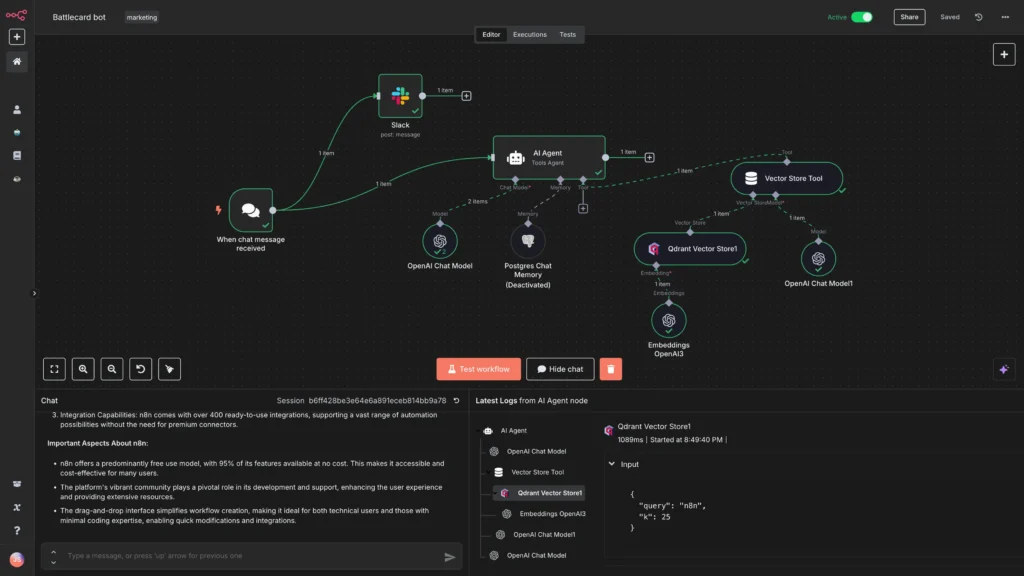
The open-source answer to Zapier — except it was rebuilt from the ground up for AI-native workflows. The native AI Agent node (built on LangChain, shipped in 2024) means your automations can now reason, not just route. Over 400 integrations: Slack, Notion, Salesforce, HubSpot, Stripe, Postgres, and most anything with an API.
What it does well
- Connects AI steps to real operational tools (CRM, databases, comms)
- Event-triggered: agents fire on Stripe charges, Intercom messages, webhooks
- Visual canvas makes debugging and iteration fast
- JavaScript + Python code nodes for custom logic
- Strong community, 3,000+ templates
Where it struggles
- Agent mode less polished than Dify’s native agent experience
- Complex multi-step reasoning requires more manual LangChain configuration
- Fair-code license: some enterprise uses require a commercial plan
- Large self-hosted deployments need solid DevOps skills
Where n8n starts from automation and adds AI, Dify starts from AI and adds everything else. It’s an LLMOps platform: visual workflow canvas, native RAG pipelines, agent mode with iterative reasoning, multi-model support, and production observability all in one product. Teams can deploy a full AI application — chatbot, document Q&A, agentic workflow — without rebuilding the infrastructure layer from scratch.
What it does well
- Native agent mode handles iterative reasoning without custom code
- Swap models (OpenAI → Anthropic → Ollama) as a UI action
- Built-in RAG: connect knowledge bases, configure chunking, monitor retrieval
- Tracing and annotation tools for debugging LLM behavior
- Runs local inference via Ollama, LM Studio, any OpenAI-compatible endpoint
Where it struggles
- Business process automation (trigger-based ops) is n8n’s territory
- Production infrastructure ops require more setup than cloud alternatives
- Plugin ecosystem narrower than n8n’s 400+ integrations
- Less suited if your team lives entirely in Python code workflows
Flowise
github.com/FlowiseAI/FlowiseFlowise is what you get when you take LangChain and make it visual. Every LangChain component — chains, agents, memory modules, retrievers, tools — becomes a drag-and-drop node. If your team is already in the LangChain ecosystem and wants a no-code interface for building and testing pipelines, Flowise is the natural fit. Production maturity lags behind Dify, but the speed-to-prototype is hard to beat for LangChain users.
Agent frameworks: where the reasoning actually happens
These are the tools where AI stops being a feature you bolt onto something and starts being the system itself. The distinction that matters here isn’t ease-of-use — it’s which one survives your production failure modes.
LangGraph
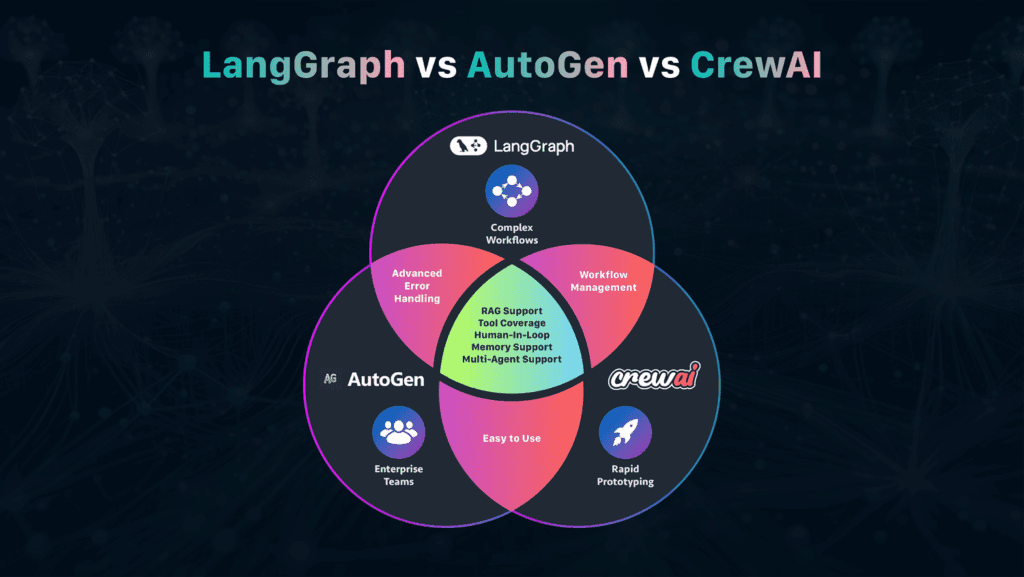
github.com/langchain-ai/langgraphBuilt by the LangChain team on top of their framework, LangGraph brings graph-based orchestration to AI agents — meaning you define explicit state machines, not free-running loops. Agents can branch, cycle, persist state between runs, checkpoint for recovery, and accept human-in-the-loop interrupts. By Q1 2026, LangGraph accounted for 34% of agent-framework citations in production architecture documents at companies with 1,000+ employees.
What it does well
- State persistence and recovery: workflows survive failures
- Fine-grained control over agent decision graphs
- Native human-in-the-loop pause/resume
- Deep audit trail capabilities (compliance-sensitive use cases)
- Full LangChain ecosystem available as agent tools
Where it struggles
- Learning curve: graph theory concepts required
- Verbose for simple sequential tasks
- Lower star count reflects enterprise (not community) adoption curve
- Slower to prototype than CrewAI for standard business workflows
CrewAI
github.com/crewAIInc/crewAI1,014% GitHub star growth from January 2024 to April 2026. That number reflects a genuine developer phenomenon: CrewAI made multi-agent orchestration feel natural by modeling it as a team. You define each agent’s role, backstory, and goal, then assemble them into a crew. A Researcher agent gathers information. A Writer agent shapes the draft. An Editor agent tightens it. Complex tasks that would require intricate prompt chaining become a crew brief. CrewAI raised $18M in 2024 and reports usage in over 60% of known enterprise multi-agent deployments.
What it does well
- Fastest path from concept to working prototype
- Role abstraction maps naturally to business problems
- Strong documentation and tutorials for non-ML teams
- Good for content pipelines, research automation, report generation
- Integrates well with LangChain tools and MCP servers
Where it struggles
- Less control over state persistence than LangGraph
- Role-based model breaks down for highly dynamic branching workflows
- Production failure recovery requires more manual handling
- Completion rates on complex tasks trail LangGraph in head-to-head benchmarks
Microsoft AutoGen
github.com/microsoft/autogenAutoGen’s large star count reflects its early academic and research adoption via Microsoft. Where CrewAI gives you a team, AutoGen gives you a conversation. Agents communicate through structured chat patterns — which makes it uniquely suited for group decision-making scenarios, debate-style evaluation workflows, and code execution loops where one agent writes and another tests. The no-code AutoGen Studio is a genuine advantage for mixed technical/non-technical teams.
Autonomous coding agents
This is the fastest-moving category. In 12 months it went from “impressive demo” to “engineers at the $100B company in the next building are using this daily.” The distinction between the tools is sharper than most coverage acknowledges.
OpenHands (fka OpenDevin)
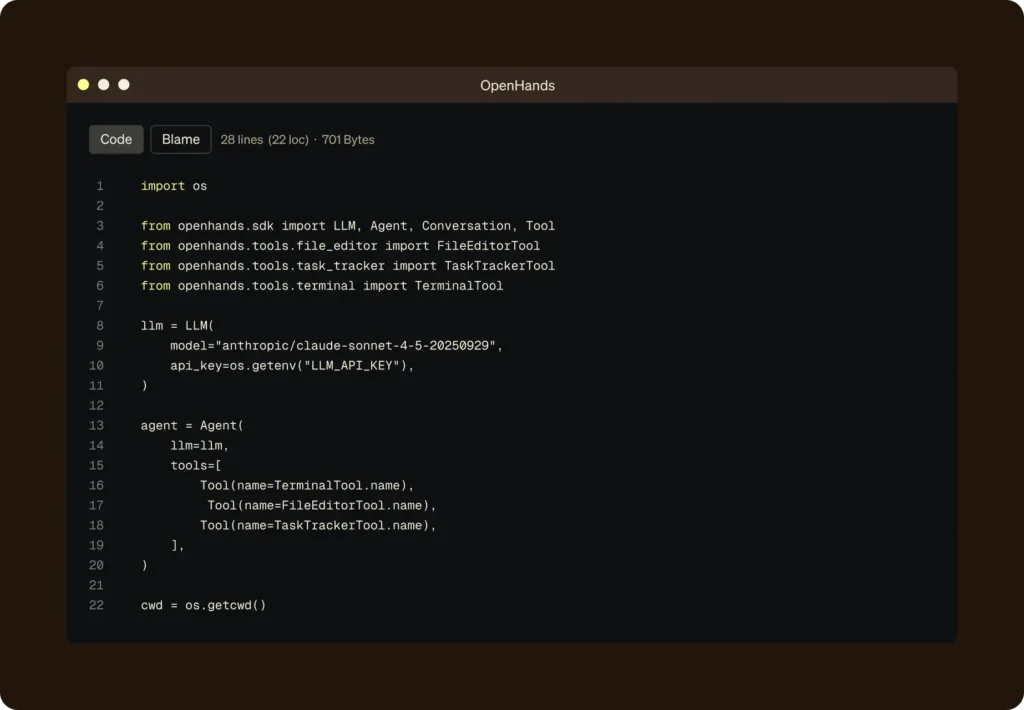
github.com/All-Hands-AI/OpenHandsThe most ambitious open-source coding agent available in 2026. Where GitHub Copilot suggests inline and Claude Code works from the terminal, OpenHands provides a full agentic dev environment: it opens a browser, writes code, runs tests, reads error output, and debugs until the task is complete. It leads benchmarks for autonomous coding agents as of mid-2026. The trade-off is real: getting it to production requires serious DevOps work around sandboxing and security.
MetaGPT
github.com/geekan/MetaGPTMetaGPT takes software development methodology literally. Agents play defined roles — product manager, architect, engineer, QA — and follow standardized processes to produce working code from a natural language specification. It’s more structured than OpenHands (less autonomous, more predictable), and genuinely useful for generating technical documentation from existing repositories. For small software houses that don’t have bandwidth to write documentation, the pattern has commercial traction.
AI pair programming from the terminal. Aider works with git natively: it reads context, suggests diffs, makes commits with sensible messages, and supports a wide range of models. It’s not trying to be fully autonomous — it’s trying to make the engineer’s workflow faster. For developers who live in the terminal and don’t want to leave it, Aider consistently outperforms IDE-based tools on the tasks engineers actually do: refactors, bug fixes, feature additions in existing codebases.
Infrastructure layer: the plumbing you shouldn’t skip
These tools aren’t what you show stakeholders. They’re what makes the tools above actually work at scale.
LangChain — the connective tissue
LangChain has become what jQuery was to 2010 web development: not always the right choice, but the shared vocabulary. It provides modular components for chains, agents, memory, retrieval, and tool use, and it integrates with every major model provider. Most of the other frameworks in this guide build on it directly. The companion project LangGraph extends it with stateful graph-based agent workflows. If you’re going deep on agents, LangChain’s ecosystem is the broadest available — and understanding it makes the framework choices above much easier to navigate.
Ollama — local inference, actually usable
The fastest path to running open source AI models locally. Pull a model with a single command, expose it via an OpenAI-compatible API, and every tool in this guide that supports “local inference” can point to it. Paired with Open WebUI, you get a private ChatGPT-equivalent deployable to your whole team in about 20 minutes. For engineering teams wanting to replace GitHub Copilot on internal infrastructure, Tabby builds on this layer. Hardward reality: a Mac with 16GB RAM or a PC with a mid-range GPU runs Llama 3 8B without issues. 70B models need dedicated hardware.
HuggingFace smolagents — smallest surface area, fastest debugging
HuggingFace’s answer to the framework complexity problem: smolagents grew from zero to 14,800 GitHub stars in 15 months. The philosophy is radical simplicity — agents as small as possible, reasoning happens in model calls, not framework abstractions. For teams comfortable with Python but frustrated by LangGraph’s learning curve, smolagents is worth the 2-hour experiment. The ecosystem is thinner than LangGraph’s, but the debugging experience is genuinely better for simple agent tasks.
GitHub data: the honest picture
Star counts get gamed. What matters more: rate of change, issue response time, and whether the maintainers are still shipping. Here’s the actual state as of June 2026.
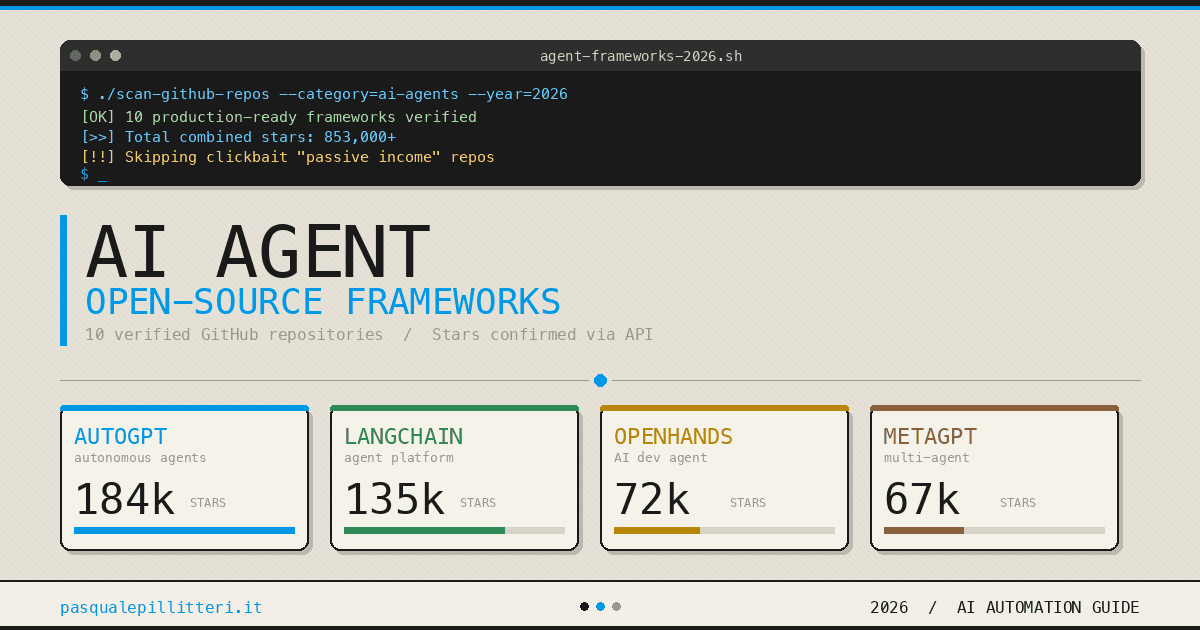
GitHub Stars — Key Open Source AI Tools (June 2026)
Data from GitHub API, June 2026. Stars indicate community interest, not necessarily production readiness.
The fastest-growing tool by percentage is CrewAI — 2,800 stars in January 2024 to over 31,200 by April 2026. That growth reflects genuine developer demand for a framework that produces visible output quickly. LangGraph’s slower growth among a different audience (enterprise architecture docs vs. solo devs experimenting) explains why it looks “smaller” than its production impact suggests. Dify crossed 100,000 stars faster than almost any developer tool in 2025, reflecting the genuine gap it fills for non-developer teams that need to ship AI applications.
The decision matrix: which tool for which team
Stop framing this as “best tool.” Frame it as: what is the shape of your problem, and what is the shape of your team? Those two dimensions narrow the field faster than any feature comparison.
Quick picks by use case
Full comparison matrix
| Tool | No-code usable | Self-hostable | RAG built-in | Multi-agent | Local model | MCP support | License |
|---|---|---|---|---|---|---|---|
| n8n | ✓ Yes | ✓ Yes | ⟡ Via nodes | ⟡ Via LangChain | ✓ Yes | ✓ Yes | Fair-code |
| Dify | ✓ Yes | ✓ Yes | ✓ Native | ✓ Native | ✓ Yes | ⟡ In progress | Apache 2.0 |
| LangGraph | ✗ Code required | ✓ Yes | ⟡ Via LangChain | ✓ Native | ✓ Yes | ✓ Yes | MIT |
| CrewAI | ⟡ Low-code | ✓ Yes | ⟡ Plugin | ✓ Native | ✓ Yes | ✓ Yes | MIT |
| AutoGen | ⟡ Studio option | ✓ Yes | ⟡ Plugin | ✓ Native | ✓ Yes | ⟡ Experimental | MIT |
| OpenHands | ✗ Technical setup | ✓ Yes | ✗ Not focus | ⟡ Internal | ✓ Yes | ✓ Yes | MIT |
| MetaGPT | ✗ Code required | ✓ Yes | ✗ Not built-in | ✓ Native | ✓ Yes | ⟡ Community | MIT |
| Flowise | ✓ Yes | ✓ Yes | ✓ Visual | ⟡ Limited | ✓ Yes | ⟡ Partial | Apache 2.0 |
What breaks in production — the honest list
Most AI automation fails not in the demo but in week 3. Here are the failure modes that almost every team hits, in roughly the order they hit them.
The retry problem
LLMs return unexpected outputs. Not just wrong outputs — structurally unexpected outputs that break your downstream parsing. Tools with strong retry logic and fallback handling (LangGraph, n8n) survive this. Tools where the agent is essentially a free-running loop (early AutoGPT implementations, naïve CrewAI setups) tend to either loop endlessly or produce garbage that propagates downstream.
The fix isn’t a better prompt. It’s building explicit failure paths: what does the system do when the LLM returns something that can’t be parsed? Every production agent needs an answer.
State is not optional
An agent that starts from zero every invocation isn’t useful for most business workflows. You need it to remember what happened in previous steps, what the user last asked, and where the last checkpoint was if something failed. LangGraph handles this natively. n8n handles it well for workflow state. CrewAI requires more manual management. If your framework doesn’t have a first-class answer to state persistence, you’re about to build one yourself — and it won’t be as good.
The cost spiral
An autonomous agent calling a frontier model with multi-step reasoning can burn through API credits faster than most teams expect. A production app sending millions of tokens a day at cloud API rates is a significant cost center. The mitigation in 2026 has two parts: local inference via Ollama for appropriate tasks (GPT-4o-equivalent quality at ~$0.01–$0.05 per task in electricity vs. $0.50–$5 per task on cloud), and explicit token budgets in your agent configuration. Build the budget in from day one, not after you get the first bill.
The “it works in dev” problem
Agent systems that run flawlessly in development have a disconcerting tendency to behave differently in production — different latency, different API rate limits, different context lengths in practice. Tools with proper observability built in (Dify’s tracing, LangGraph’s checkpointing, adding AgentOps or LangFuse as a sidecar) catch these discrepancies before users do. The best AI engineers I know added observability before launch, not after the first production incident.
Security when tools have access to real systems
Agents that can write to databases, send emails, make API calls, or execute code are agents that can do real damage with a bad prompt or a malicious injection. The open-source tools in this guide don’t come with security guardrails by default. If your agent has write access to production systems, you need: sandboxing (especially for code execution — OpenHands requires this), explicit permission scoping, audit logging, and human-in-the-loop checkpoints for high-risk operations. LangGraph’s interrupt mechanism is specifically designed for this. Use it.
The implication that makes everyone uncomfortable
If everything in this guide is accurate, then the standard enterprise software procurement process — evaluate vendors, pick one, deploy — is the wrong model for AI automation tooling. These tools change faster than procurement cycles. The right posture is experimentation infrastructure: a small-scale deployment of 2–3 tools on different real problems, with observability from day one, and a genuine willingness to rebuild when the space shifts.
The open-source AI automation ecosystem in 2026 isn’t catching up to commercial offerings. In local inference, workflow automation, and agent frameworks, it’s setting the pace. The gap between what you can self-host today and what you had to pay a vendor for in 2023 is genuinely large.
What hasn’t changed: the hardest part of AI automation is still the integration work. Not the model. Not the framework. The specific, tedious, important work of understanding what data your agents need, what systems they need to touch, what happens when they’re wrong, and who in your organization owns the answer to those questions.
Pick the tool that fits your problem shape. Build observability first. Make the agent’s failure modes explicit before you make its capabilities impressive. Everything else is a marketing question.
The real reason most AI automation projects stall isn’t the technology. It’s that nobody defined what “working” meant before they started building. That’s still a people problem. — A pattern visible in every post-mortem from 2024–2025 that actually got published